

WordPress 6.9 is set for release soon, bringing a host of new features and refinements to the world’s leading content management system. This update marks another step forward in delivering a more powerful, flexible, and intuitive platform for both users and developers.
Here’s a quick summary of the major improvements you can expect in WordPress 6.9:
- Brand-new core blocks (such as Accordion and Math) that give you more creative control over your content.
- Significant enhancements to the editor, offering a smoother, more user-friendly building experience.
- Fresh developer APIs, like the Abilities API, updates to the Interactivity API, and improvements to the Block Bindings API, among other upgrades.
- Better workflows and collaborative tools, including Notes, new block visibility options, and an extended Command Palette.
These updates are designed to benefit everyone—from content creators who want advanced editing and collaboration tools, to developers seeking enhanced integration options through improved APIs.
Let’s dive into the features and changes we’re most excited about in WordPress 6.9:
Table of Contents
New core blocks
Based on ongoing development discussions, WordPress 6.9 expands the block editor by adding six new blocks. These additions increase design flexibility and minimize the need for extra plugins. The new blocks are Accordion, Term Query, Time to Read, Math, Comment Count, and Comment Link.
After much community debate about how and where new blocks belong, WordPress 6.9 brings them directly into the core, improving consistency and making powerful features available out of the box. As Mathias Ventura puts it, excluding essential blocks from core restricts the creativity of theme builders and results in a fragmented user experience.
Here’s what you can do with these new blocks in WordPress 6.9.
Accordion
The much-anticipated Accordion block is available natively. It’s a nested structure, easy to manage from the Block Inspector.
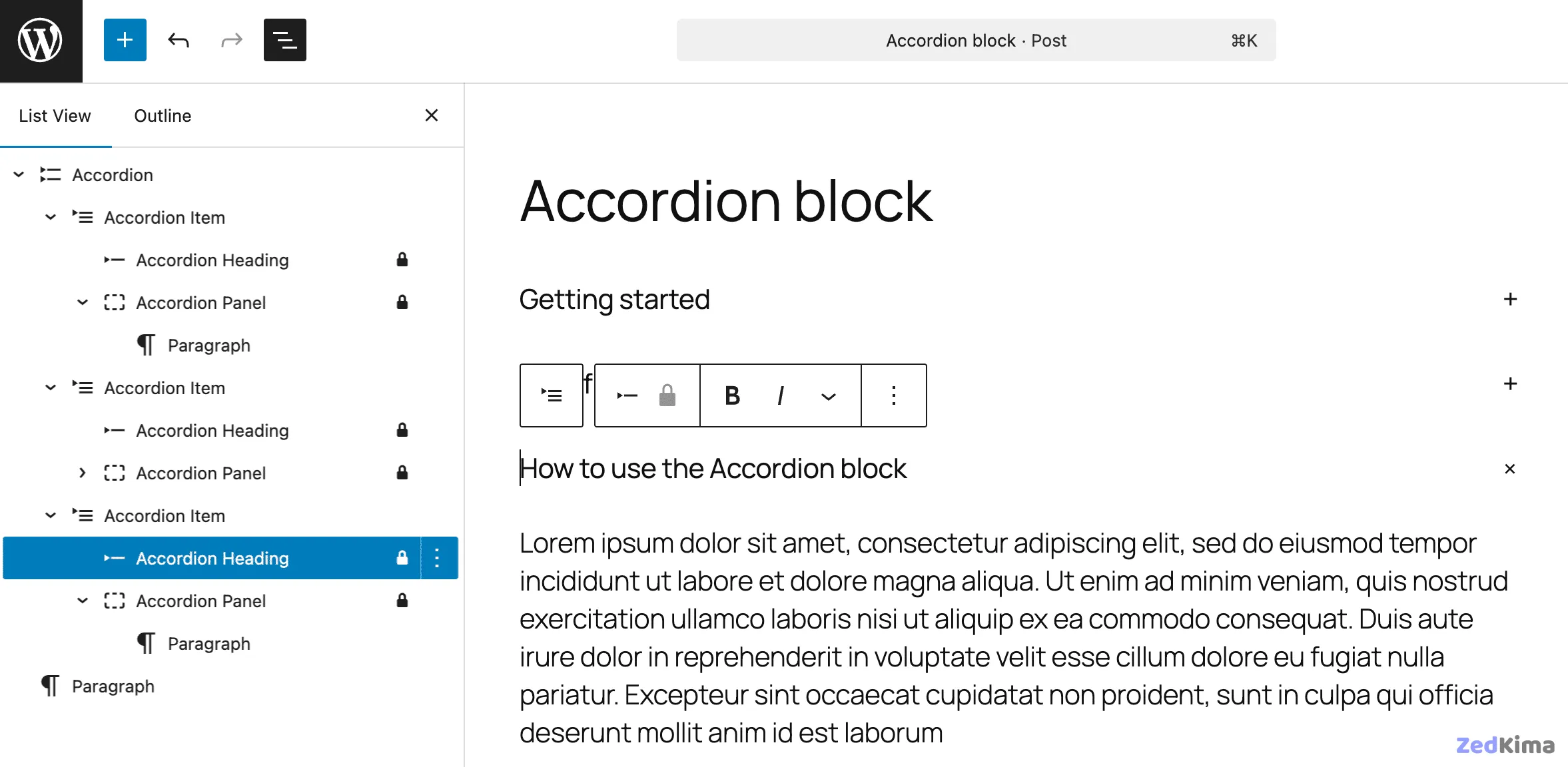
Each Accordion block is composed of:
- Accordion: Serves as the container for accordion items.
- Accordion item: The direct child, made up of a heading and a panel.
- Accordion heading: A clickable heading that toggles the panel.
- Accordion panel: The content area, which can hold any block.
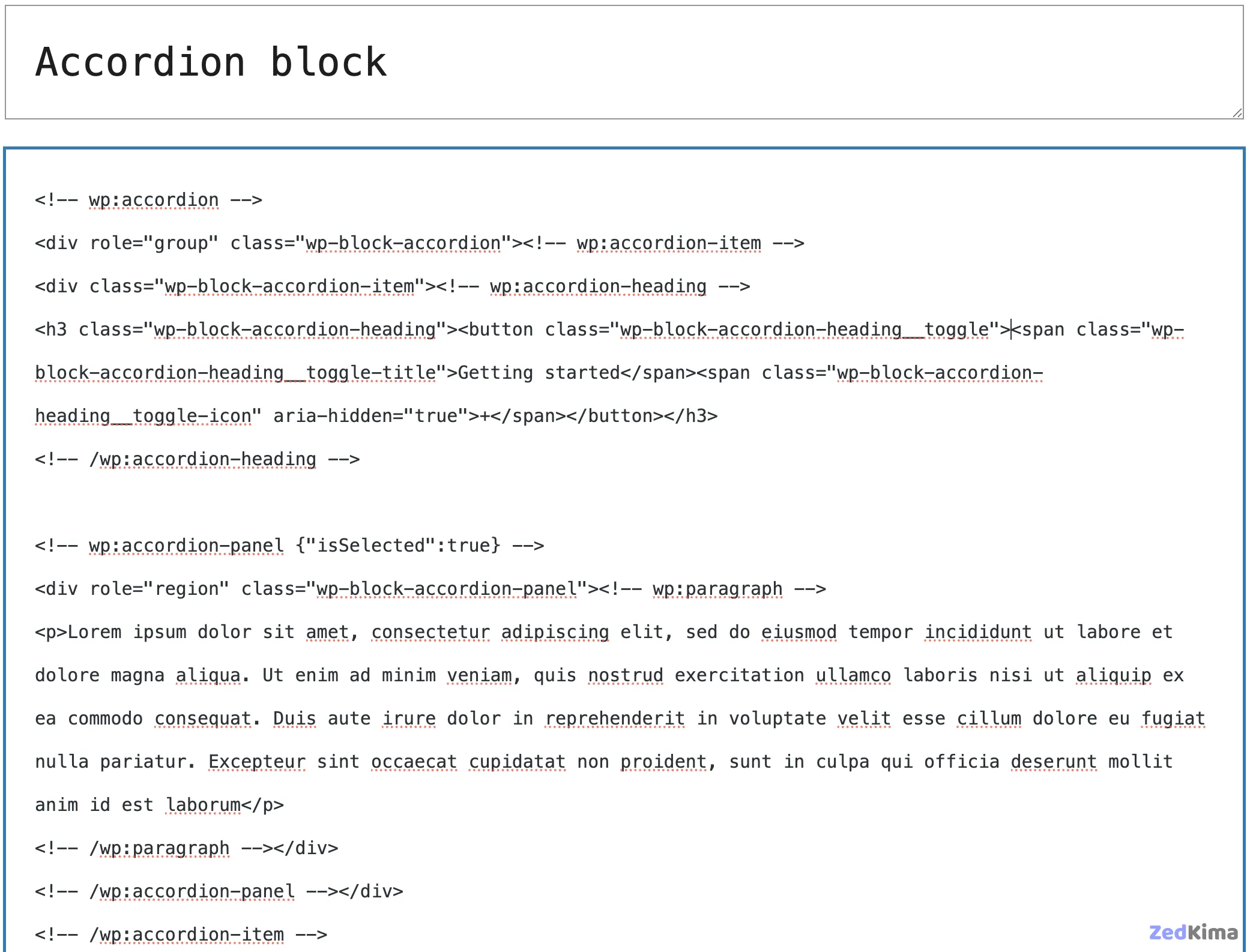
The default appearance is streamlined, but you can style your accordions as needed. For a step-by-step approach, refer to Justin Tadlock’s guide: Styling accordions in WordPress 6.9.
See the pull requests #64119, #71222, and #71388 for a full development history of the Accordion block.
Terms Query
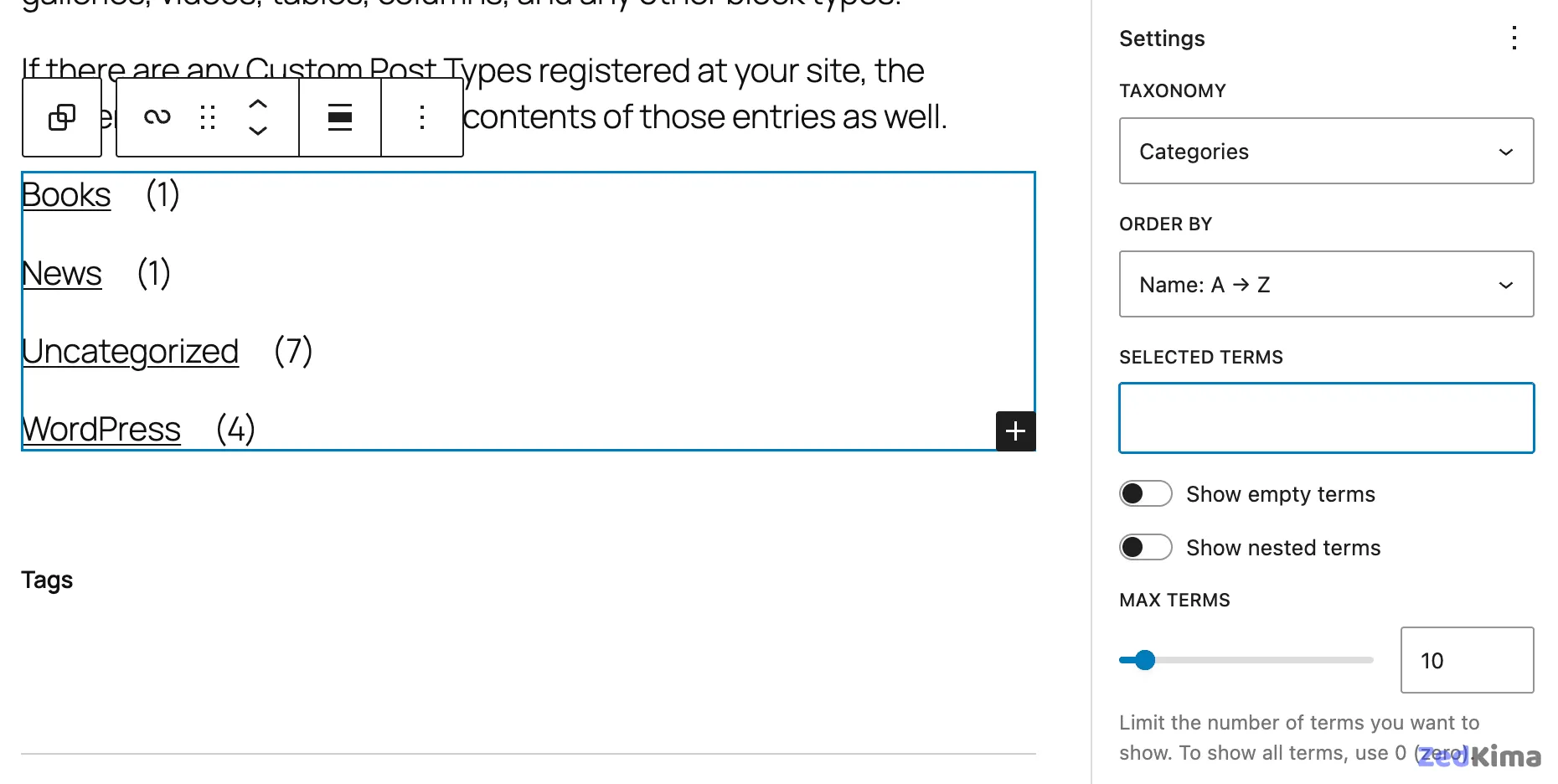
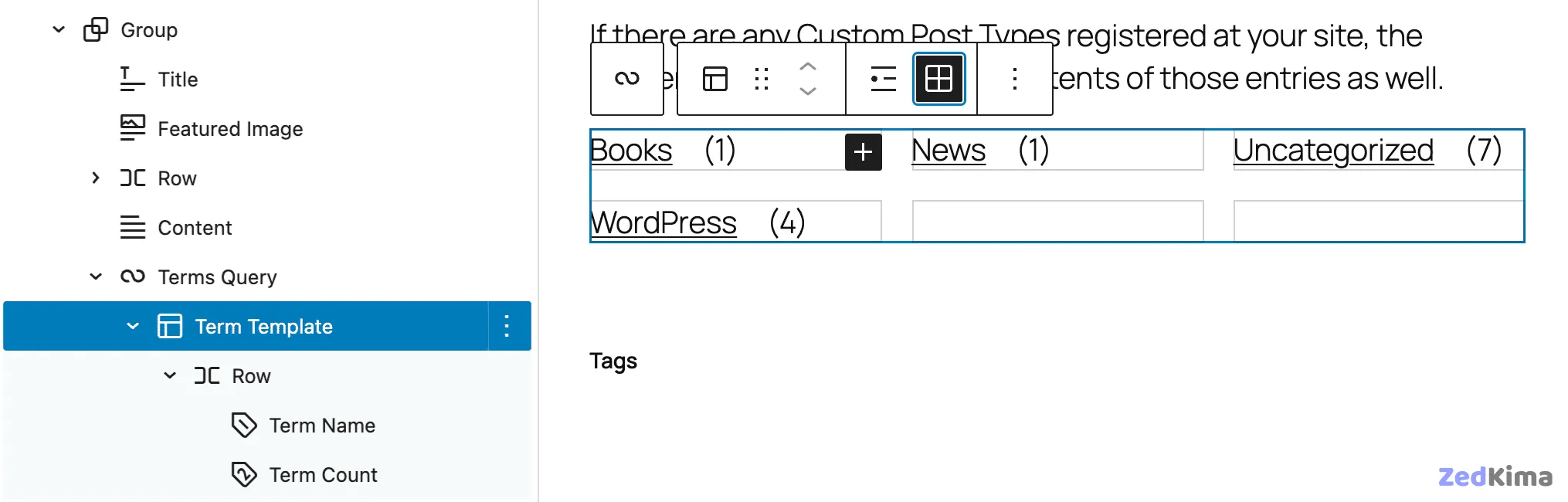
The Terms Query block displays taxonomy terms, similar to how the Query block lists posts. It’s a Terms Template containing a Row block with both Term Name and Term Count elements.
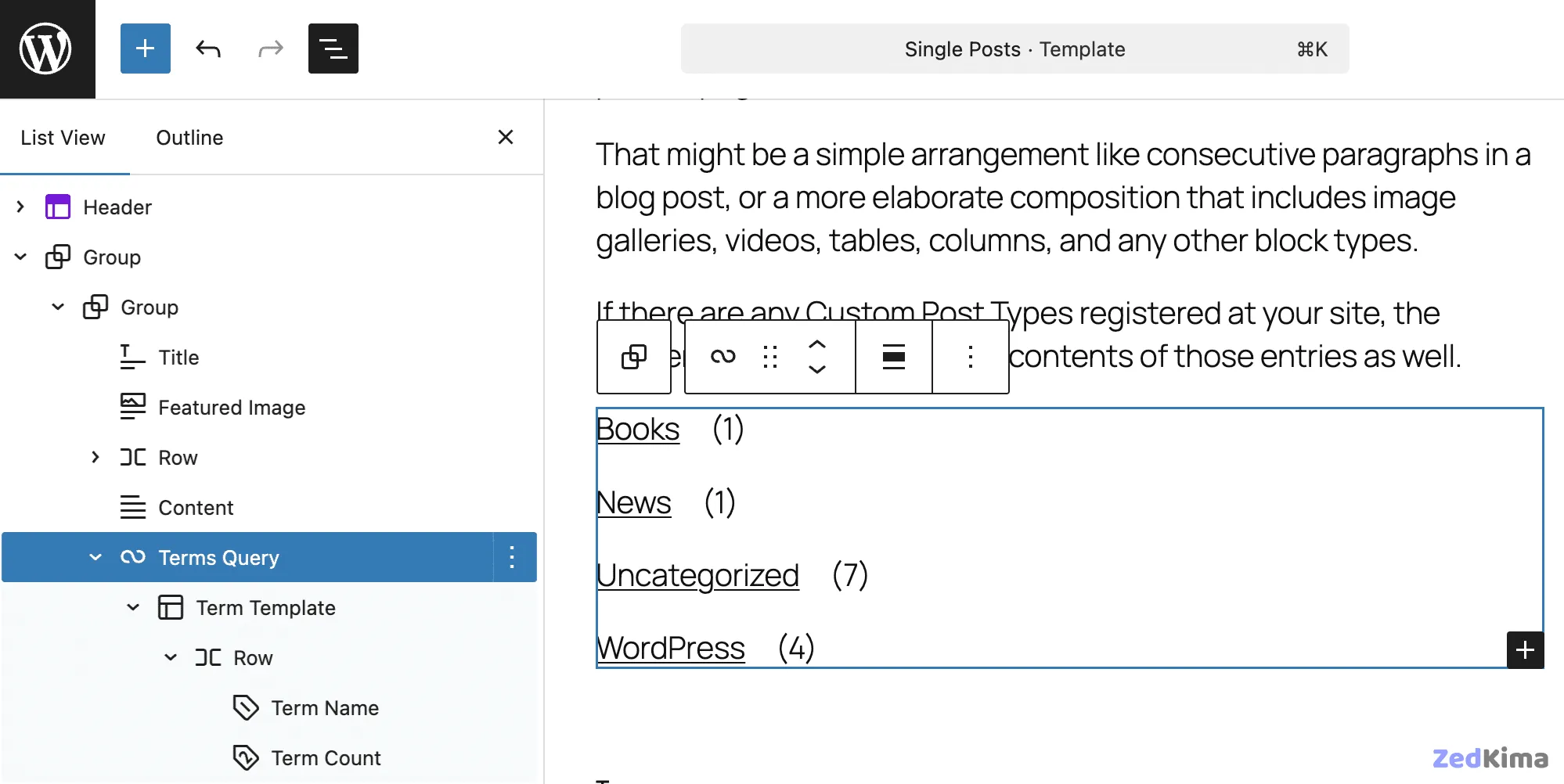
This block includes settings for taxonomy, sorting, item selection, and visibility (show/hide empty or nested terms). You can control how many terms to display, as well.
The Terms Template has both List and Grid modes. With Grid, you can set the grid layout and column count.
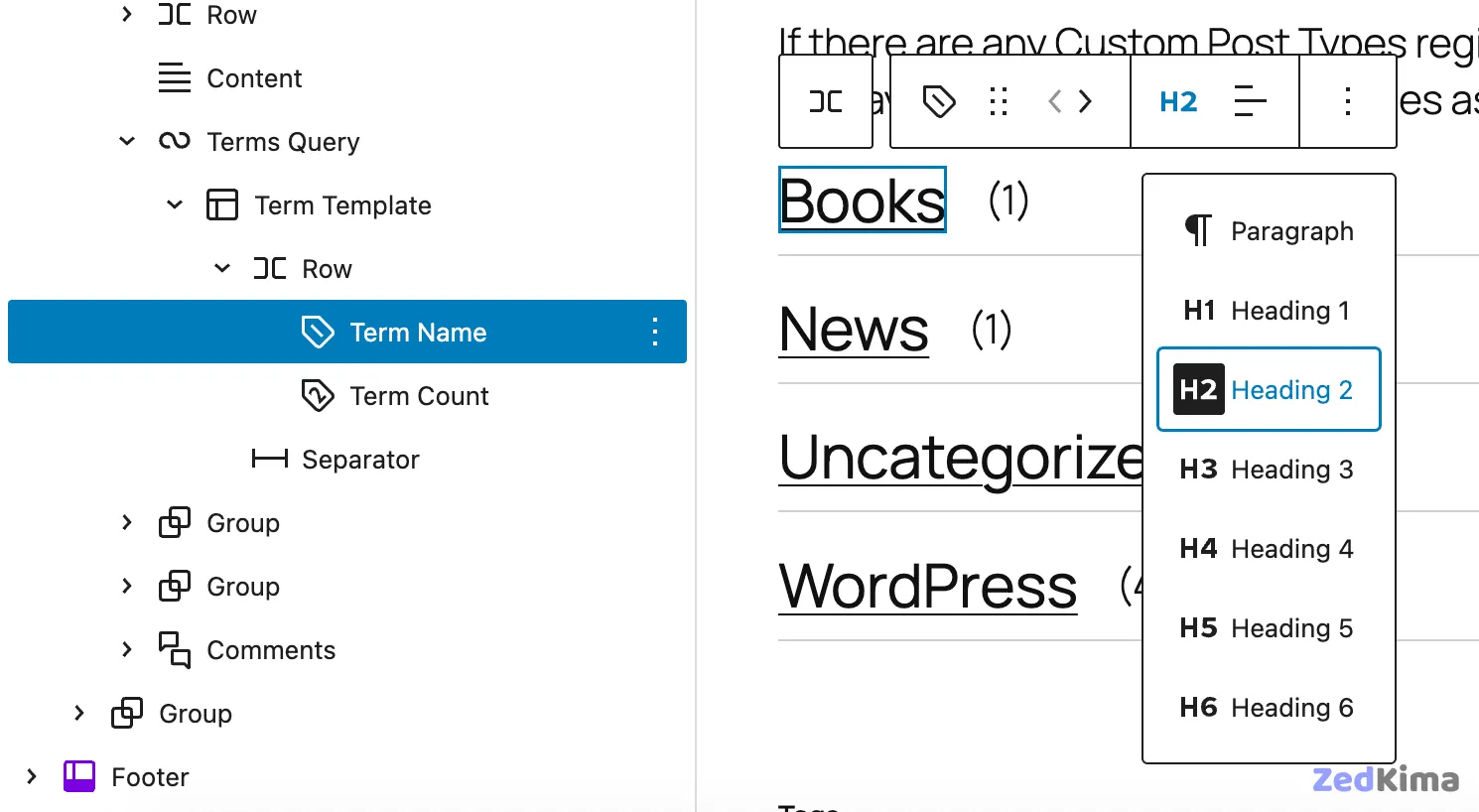
Tags on block elements can be customized—for example, set the Term Name as an h2. You can also insert other blocks, like a Separator, between term items for a tailored look.
Explore more through PR #70720 and Issue #49094.
Time to Read
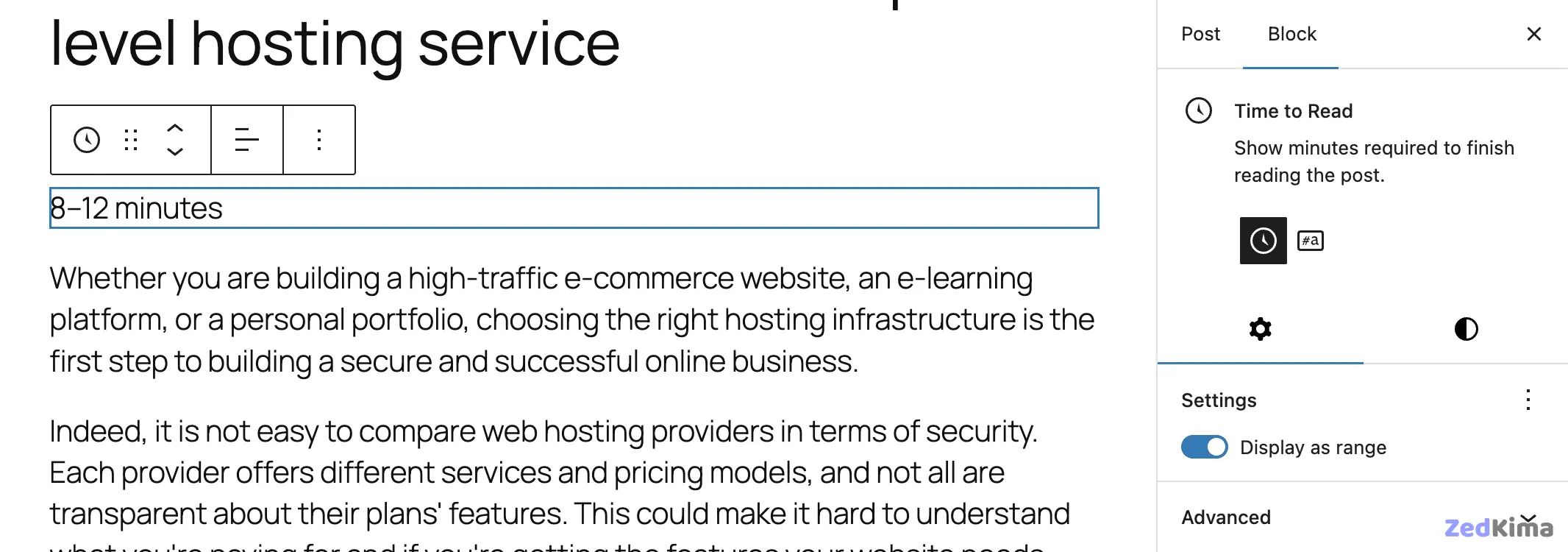
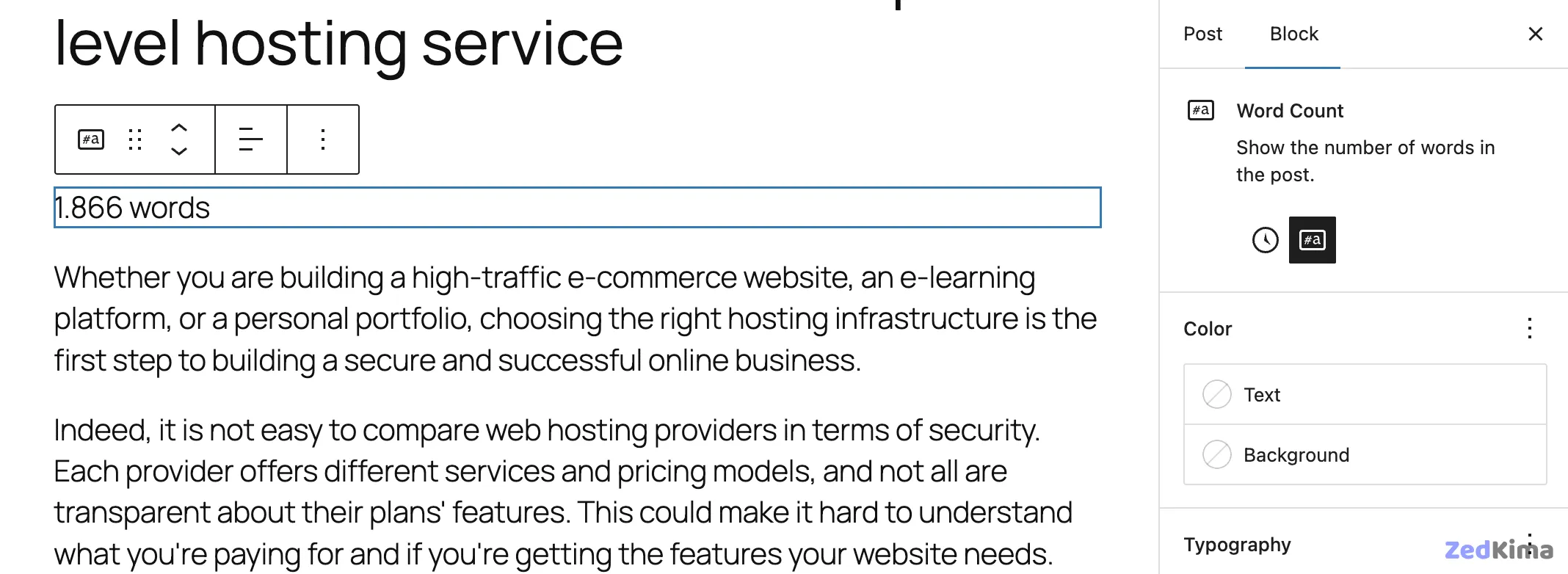
The Time to Read block calculates and displays the estimated reading time for the current post or page. You can toggle between Time to Read and Word Count modes, and choose whether to display the reading time as an exact value or a range.
Math
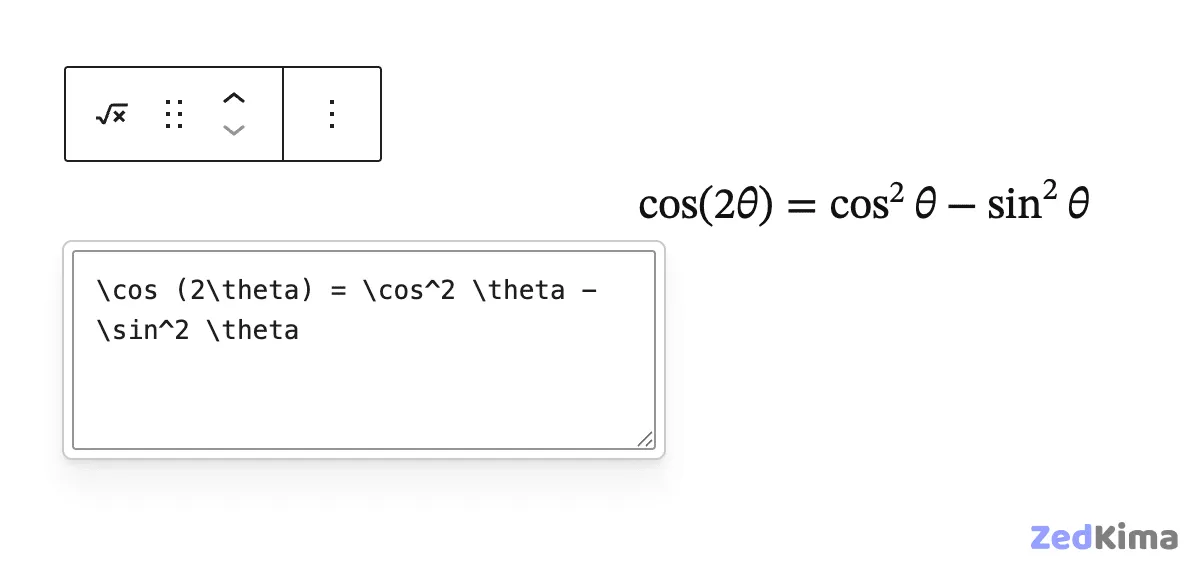
The Math block makes it simple to embed mathematical formulas within your posts or pages. Write your equations using LaTeX syntax, and WordPress will render them as formatted math symbols.
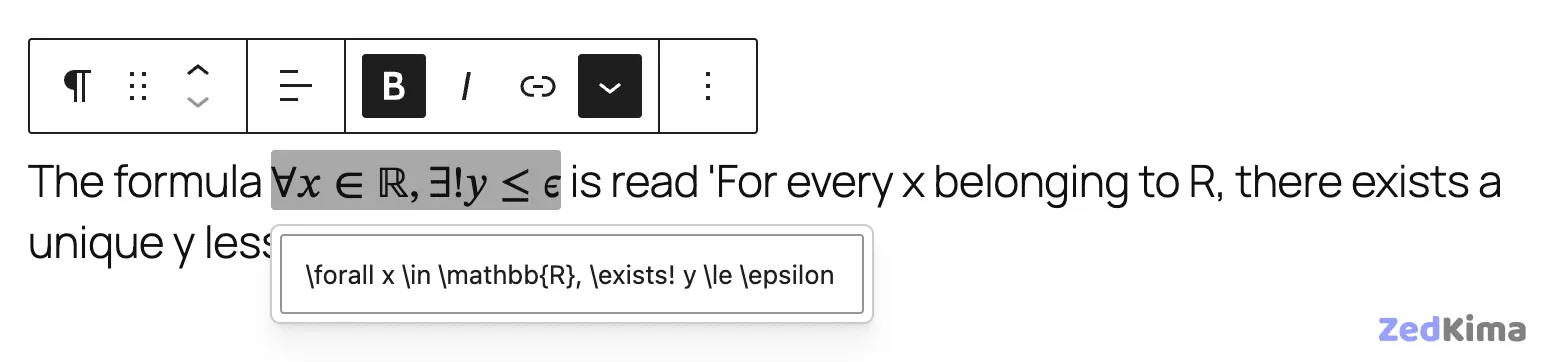
Inline formulas are supported, allowing for seamless integration in your text.
Comments Link and Comments Count
Both Comments Link and Comments Count blocks are now stable and out of the experimental phase, ready for use in the Site Editor and Post Editor. Read more.
Improvements to existing blocks
WordPress 6.9 enhances many blocks, optimizing both their usability and their functions.
Fixed background padding issue for the Heading block
A longstanding CSS specificity bug affecting Heading blocks has been resolved. In prior versions, applying background padding to a Heading block could inadvertently style headings in other blocks, such as Accordion. The fix leverages the :where() pseudo-class for more precise selector targeting. More details in the dev notes.
h1, h2, h3, h4, h5, h6 {
	&:where(.wp-block-heading).has-background {
		padding: ...;
	}
}
If your theme adds .has-background to heading elements outside the Heading block, those elements won’t receive the default background padding anymore.
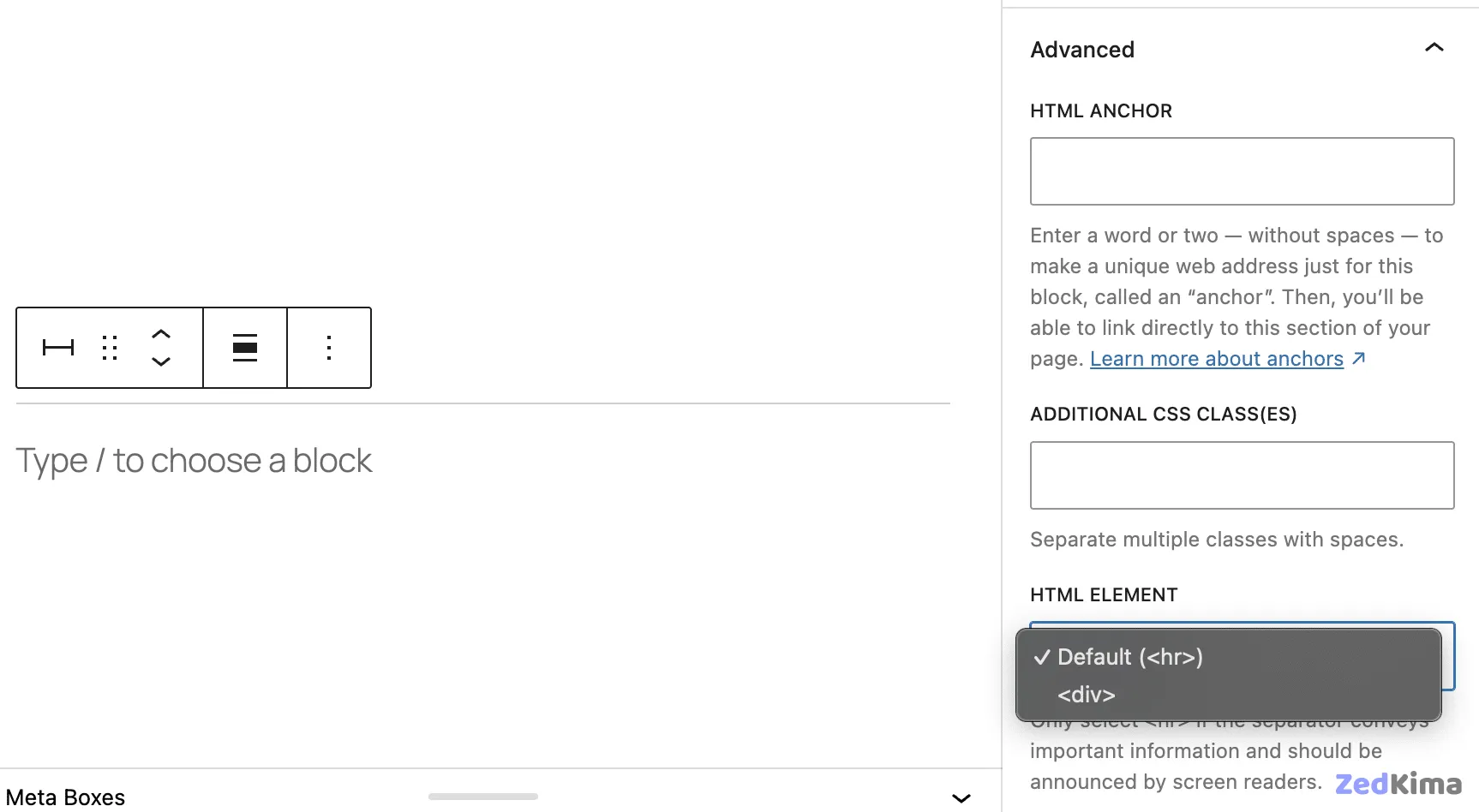
Selectable HTML element for Button and Separator blocks
For improved accessibility, the HTML element for Button and Separator blocks can now be selected manually. Learn more.
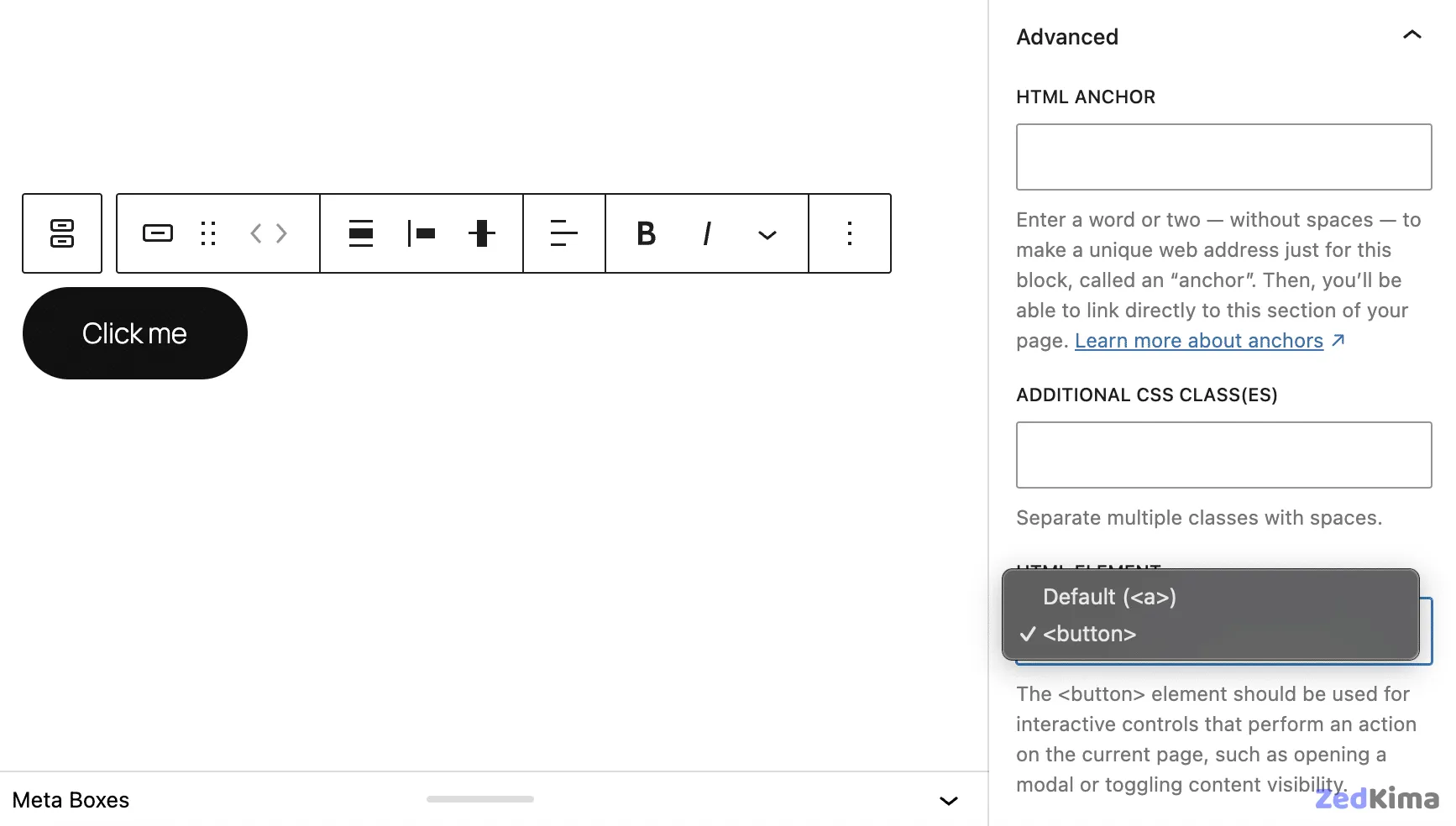
With the Button block, you can choose between <a> and <button> in the Advanced settings.
The Separator block allows you to toggle between <hr> and <div>. See examples.
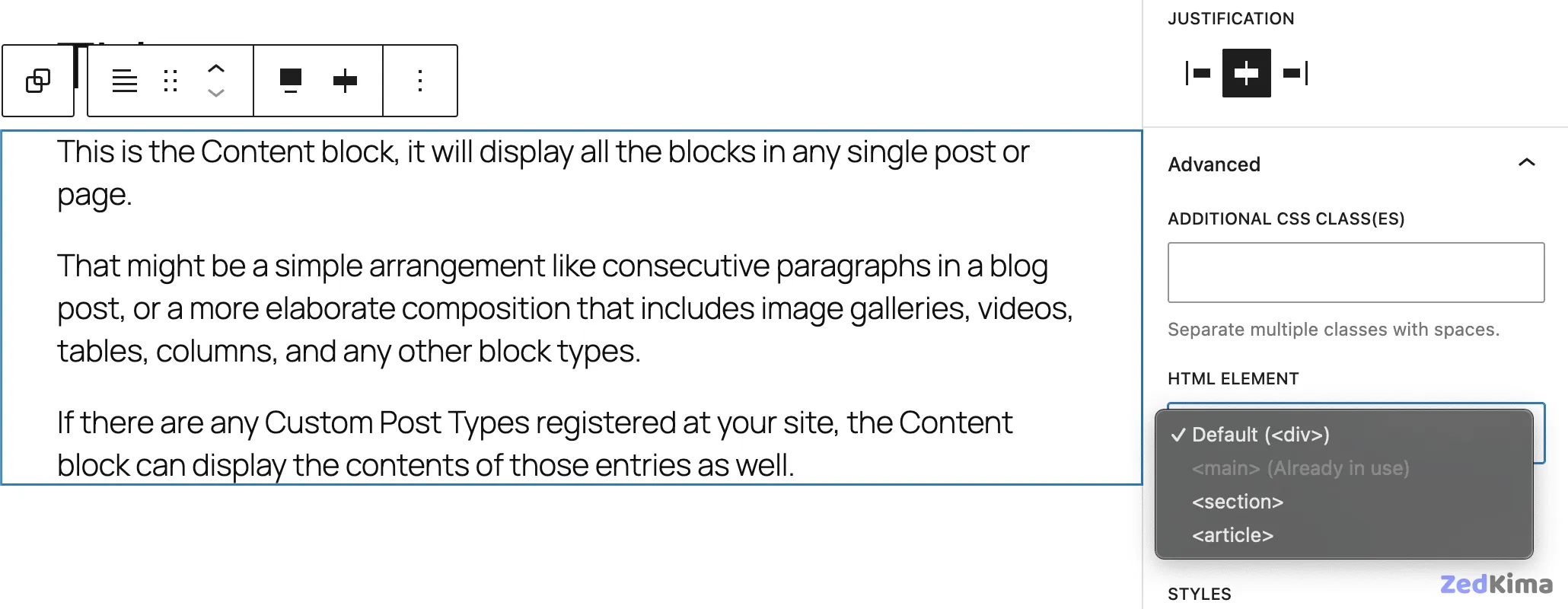
tagName selector for the Post Content block
You can now select the most appropriate HTML wrapper for the Post Content block—choose from <main>, <section>, or <article>. Learn how.
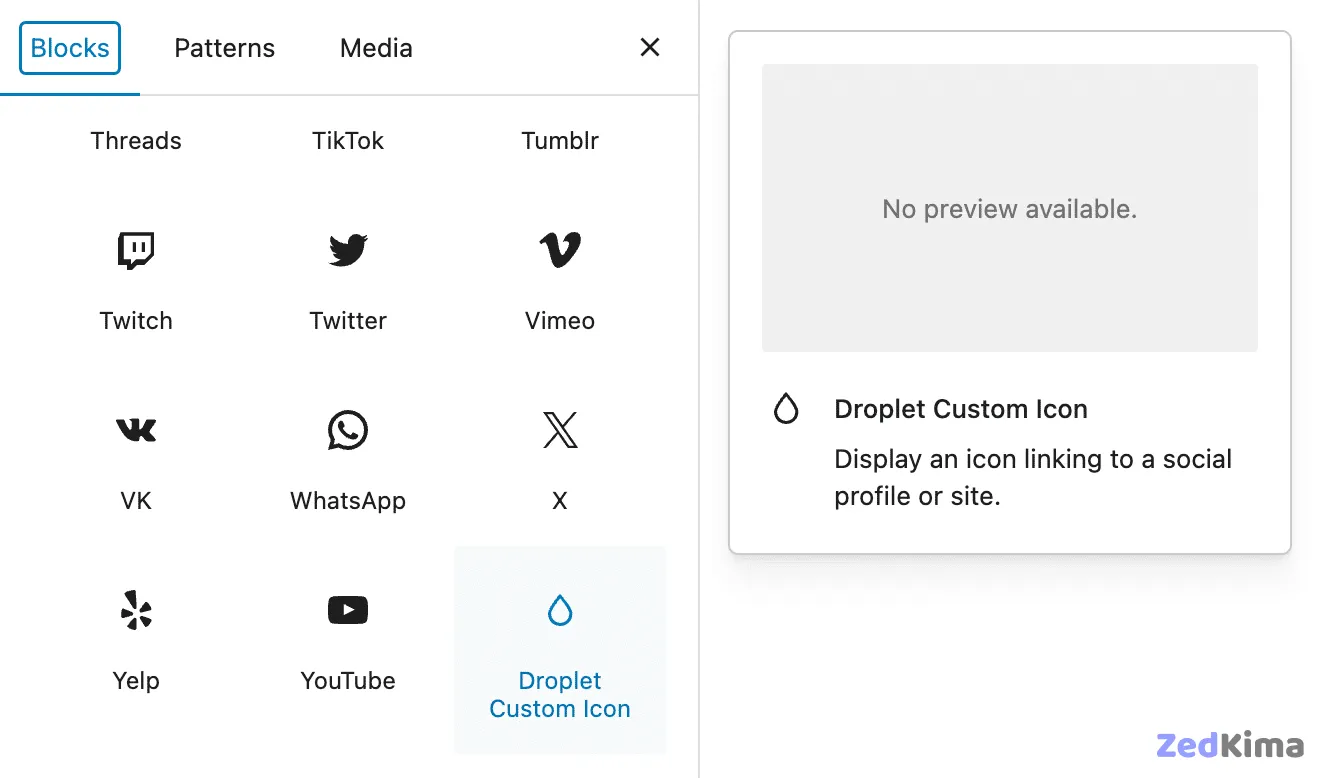
Custom link icons for Social Links
It’s now possible to add custom link icons to the Social Links block through the block_core_social_link_get_services filter. This approach allows for easy customization without core bloat. Developers can find guidance and example code in PR #70261.
Sorting by menu order in the Query Loop block
The Query Loop block now supports sorting post types (like Pages) by menu order, as long as page attributes are enabled for those types. To try it, set the menu order via the Pages screen or by editing individual pages, then sort in the Query Loop by Menu Order.
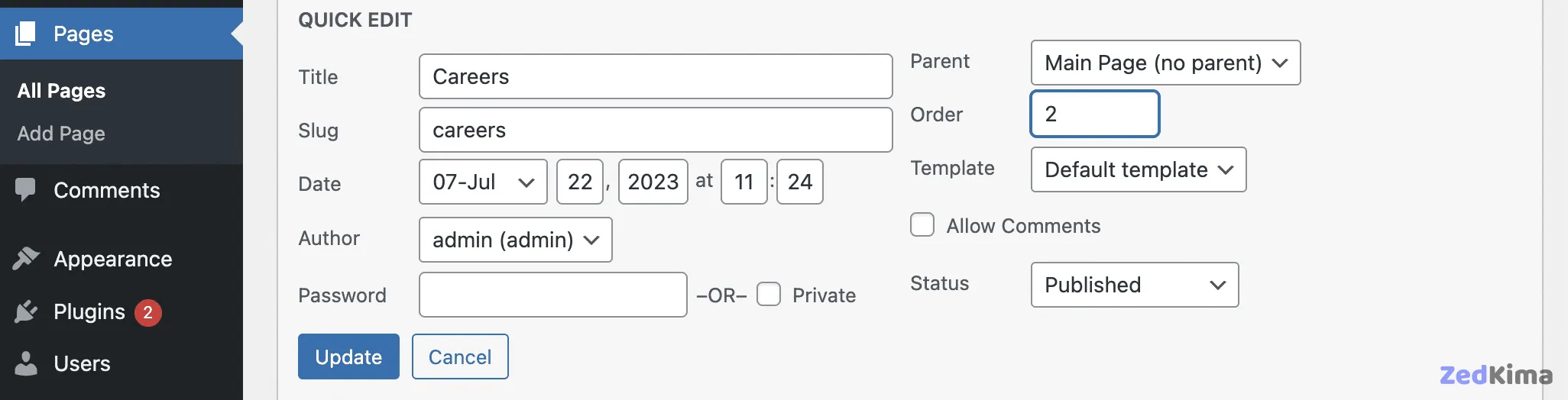
The order can be adjusted in the page sidebar by selecting “Order” from the Actions menu.
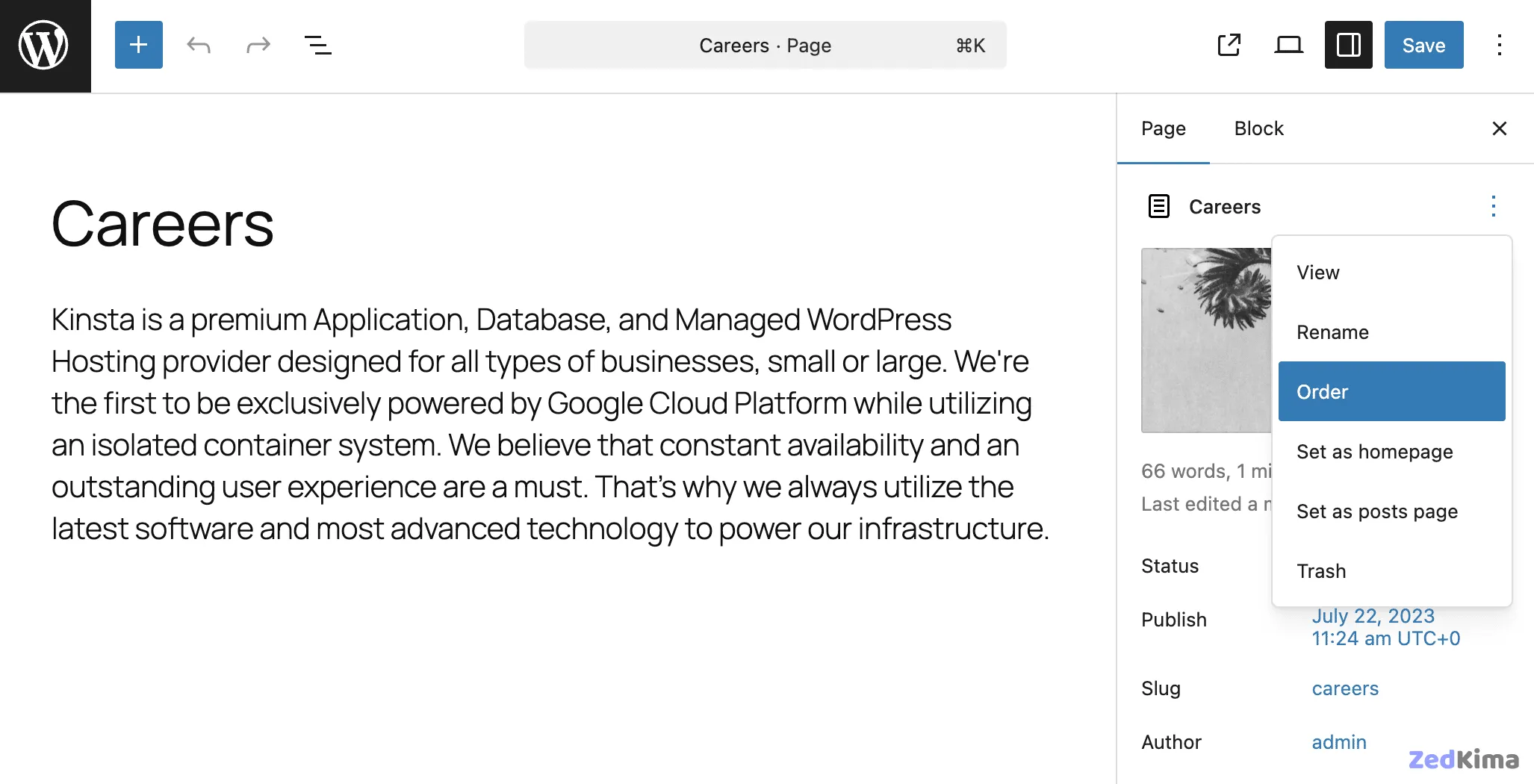
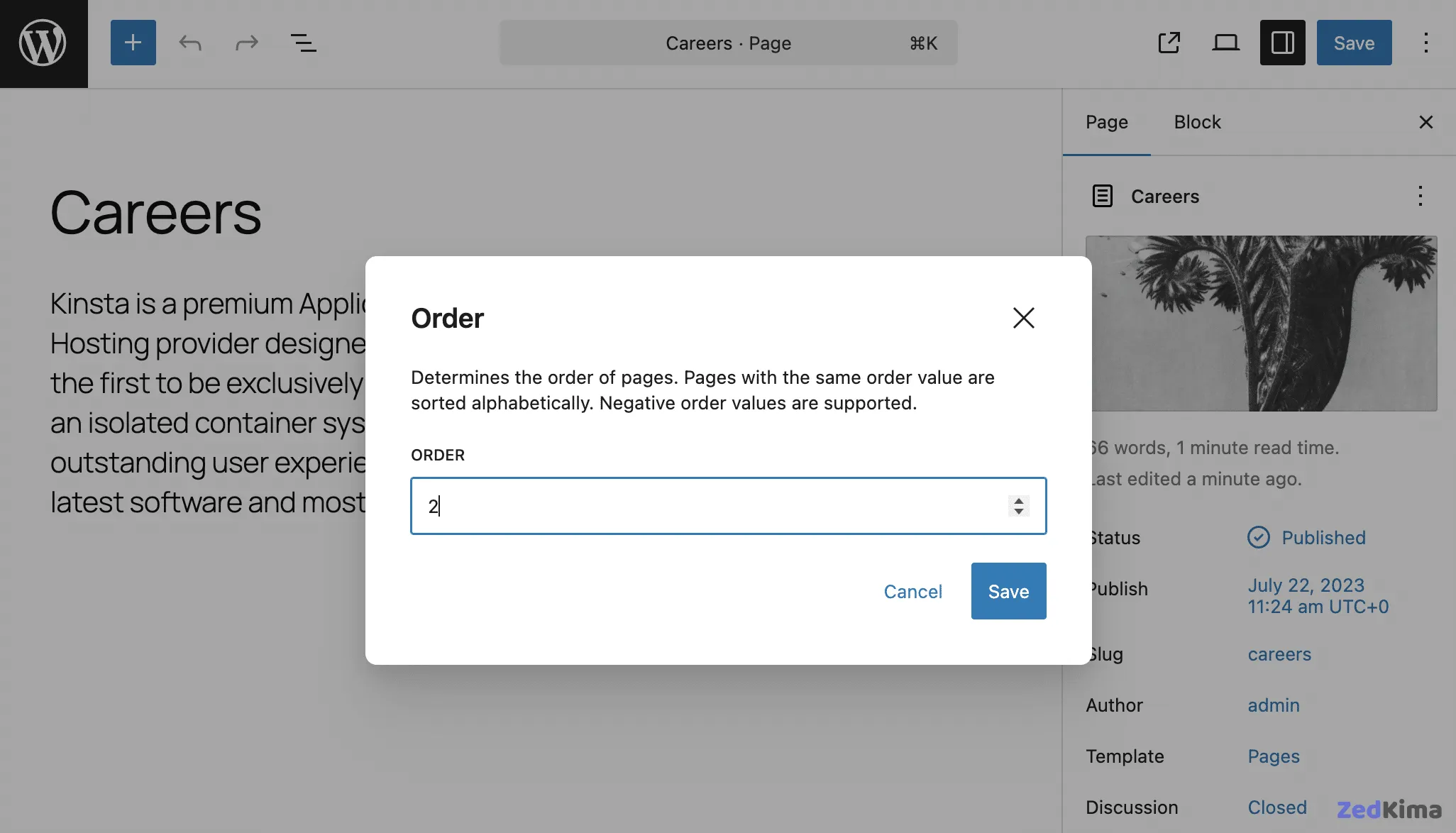
Just be sure your custom post types support page-attributes to access this feature. See PR #68781 for technical reference.
Updates to the Navigation block
The Navigation Block receives several noteworthy enhancements:
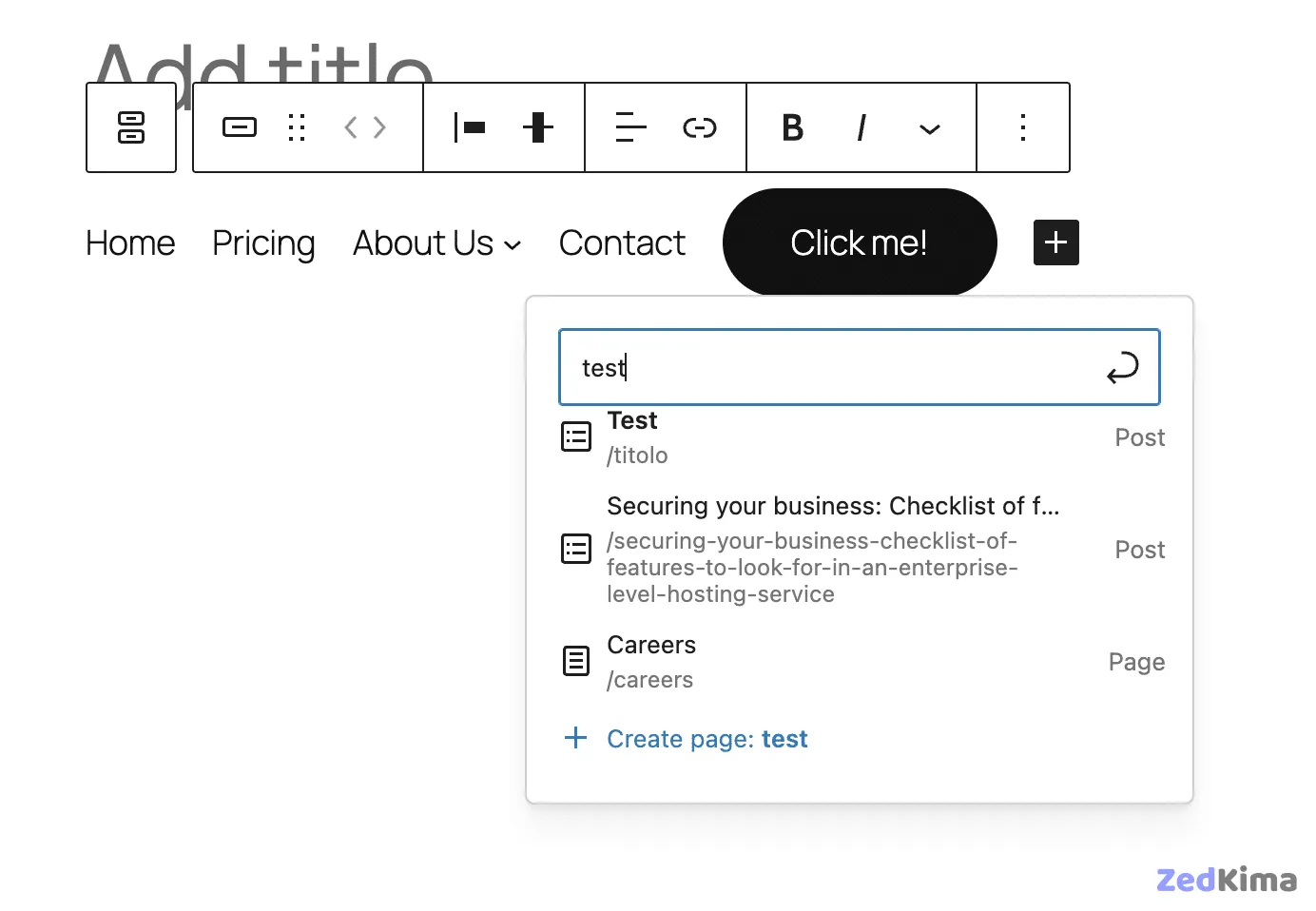
The Link UI now includes a Create Page button for adding and instantly publishing new pages from the navigation menu.
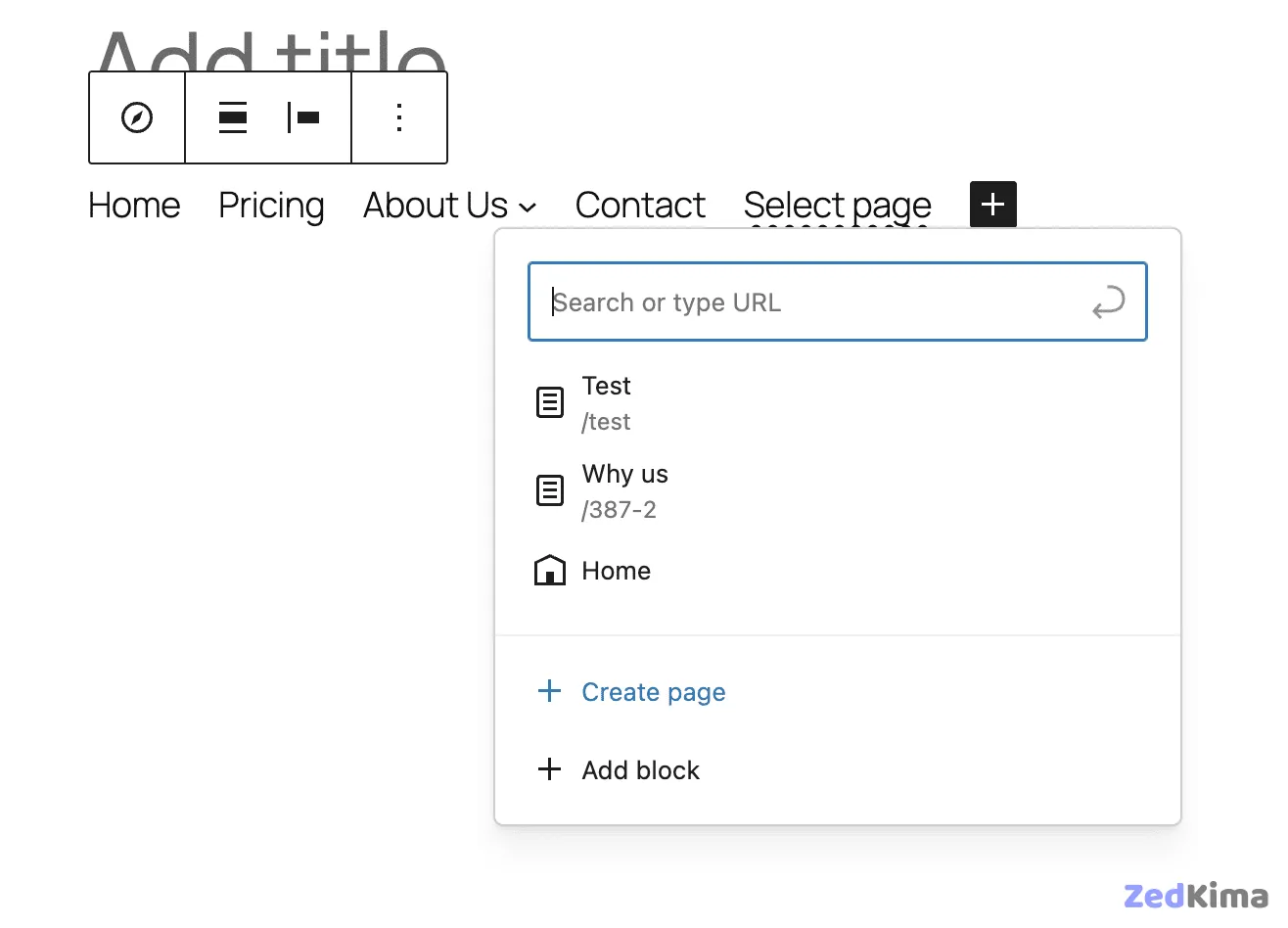
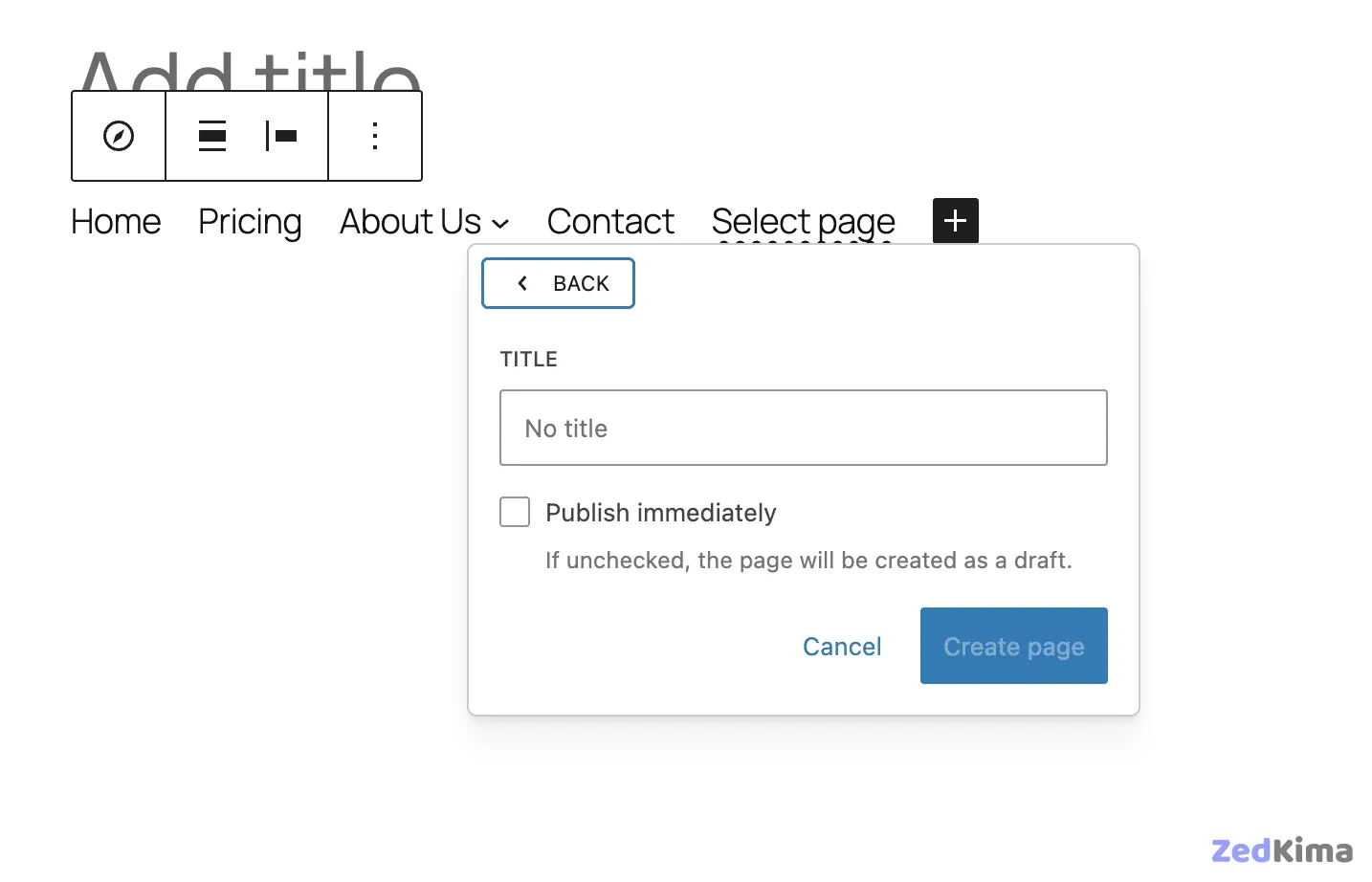
This capability is also available in the Button block, even when placed inside the navigation menu.
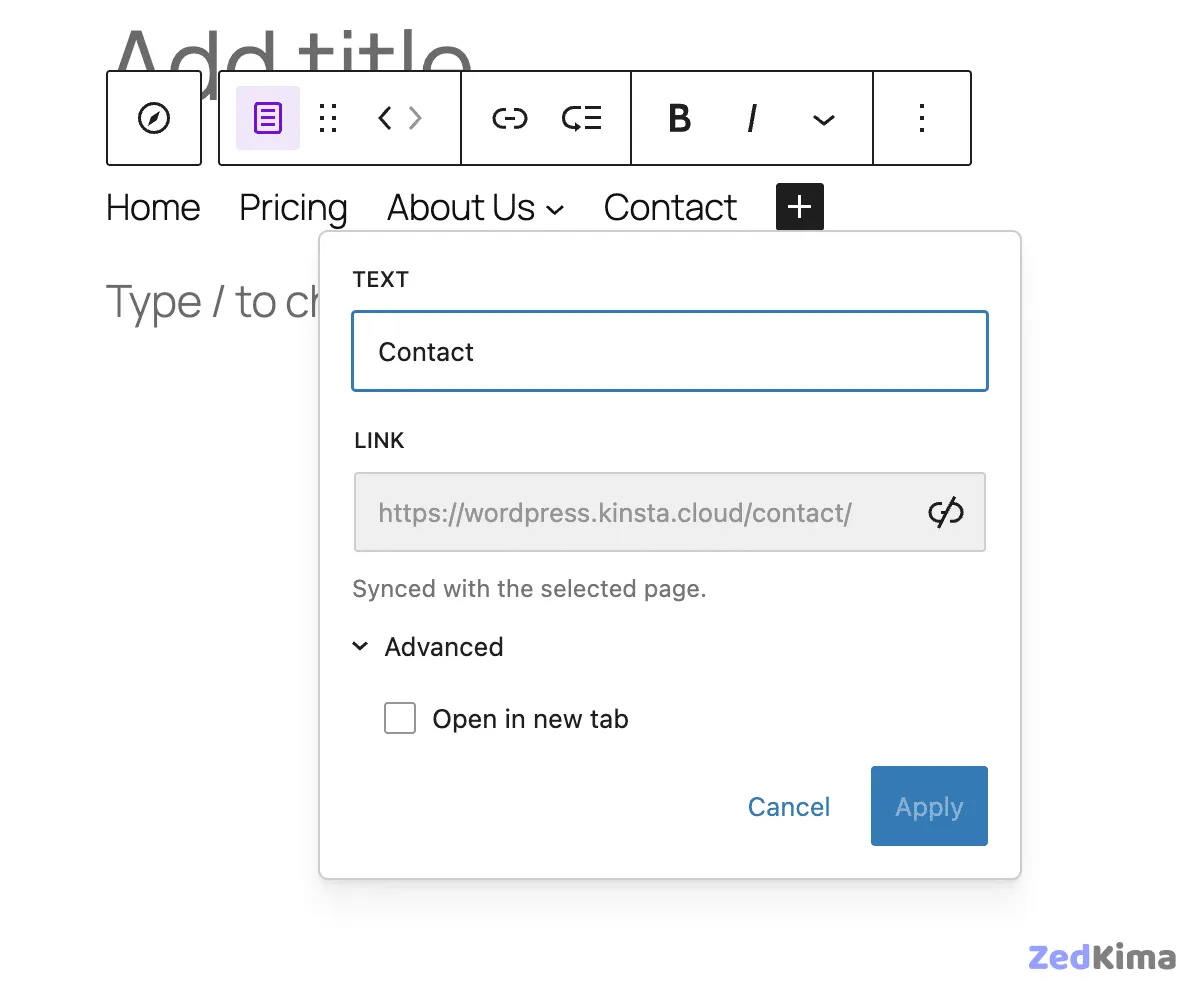
The new Block Bindings API keeps navigation links in sync with their original URLs—if a linked entity’s URL changes, its navigation link updates automatically. Read how it works.
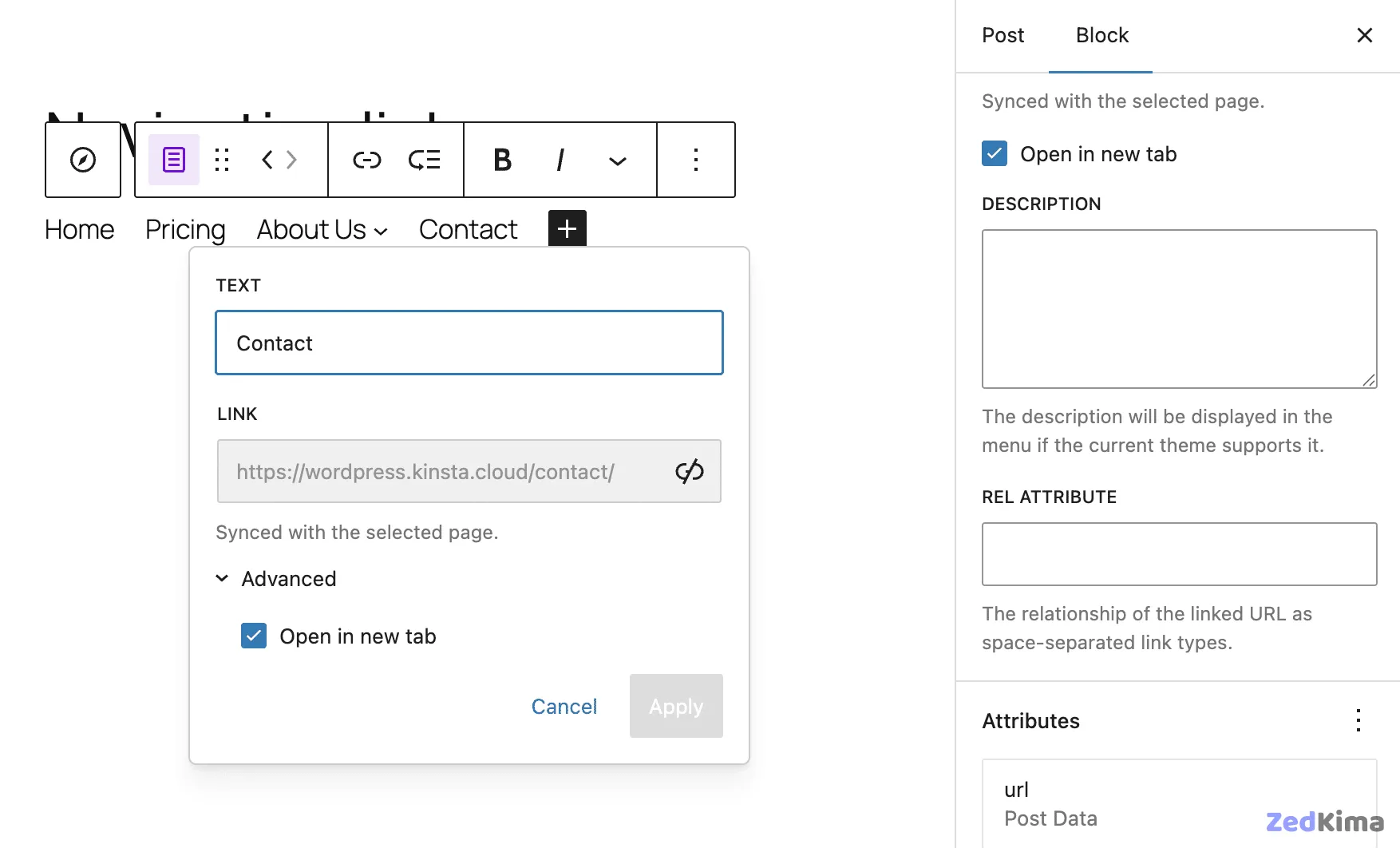
A sidebar toggle makes it easier to set links to open in new tabs, bringing this control directly to the block’s settings panel. Learn more.
You can now set a transparent background for the Navigation Menu block right from the editor—no custom CSS required. See the update.
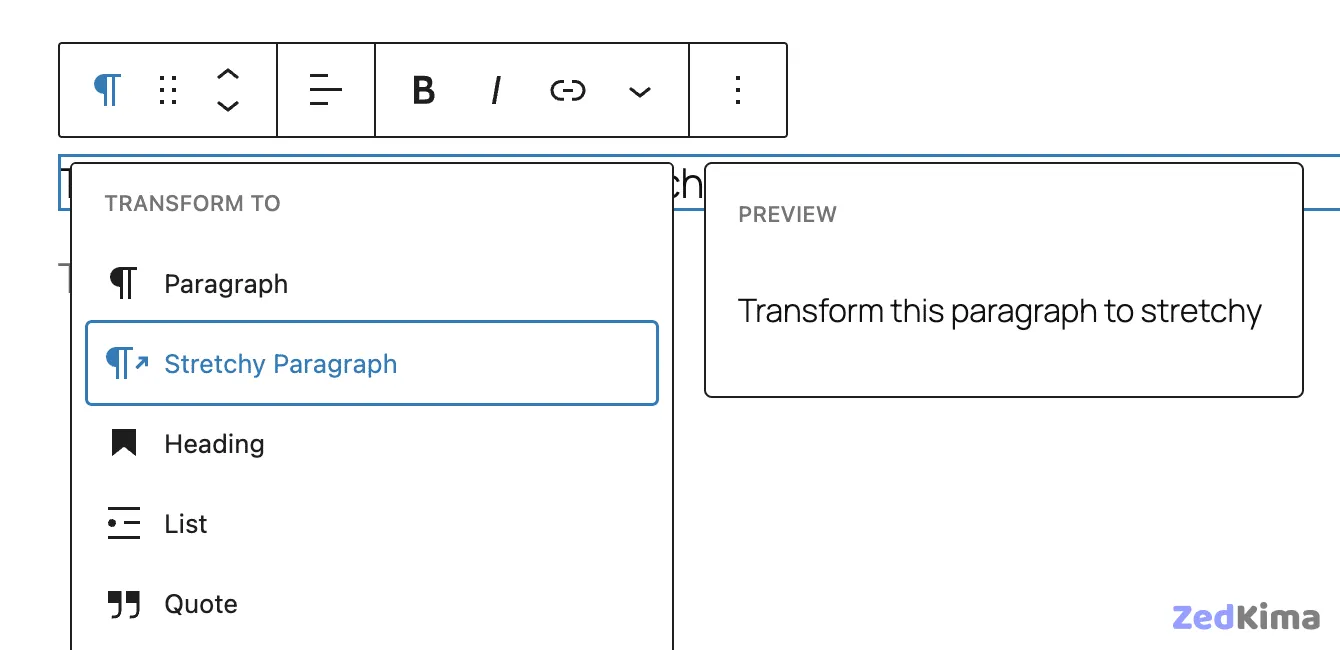
Stretchy Heading and Stretchy Paragraph block variations
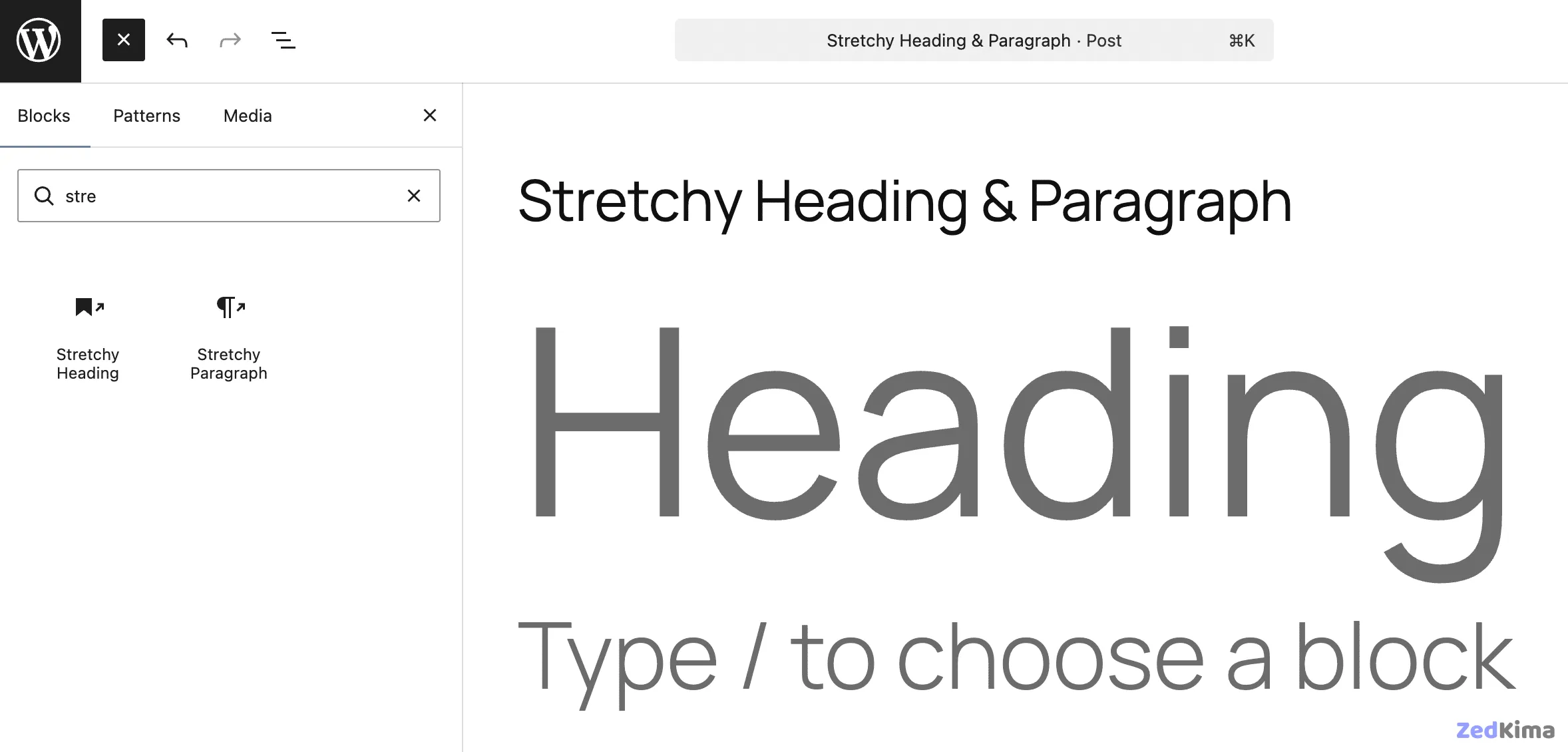
The new Stretchy Heading and Stretchy Paragraph block variations spread text automatically to fill the full width of the container. These can be added either directly from the Block Inserter or by transforming existing blocks.
Poster image support for the Cover block
The Cover block now supports poster images, which is especially handy for posts with large video backgrounds. Poster images serve as stand-ins before the video loads, offering a better experience for all visitors. Learn how to use it.
With these foundational improvements covered, let’s look at how WordPress 6.9 enhances editorial collaboration and streamlines the content creation process. This version brings two standout features: Notes and Visibility controls.
Commenting blocks with Notes in WordPress 6.9
You can now leave notes on specific blocks within the Post editor, making team coordination and feedback more manageable—for asynchronous workflows and keeping editorial feedback organized.
This feature is permission-based:
- Admins and Editors can view all notes on any post.
- Authors and Contributors can view and edit their own notes.
- Subscribers do not have access to notes.
Simply click Add Note in a block’s toolbar to get started.
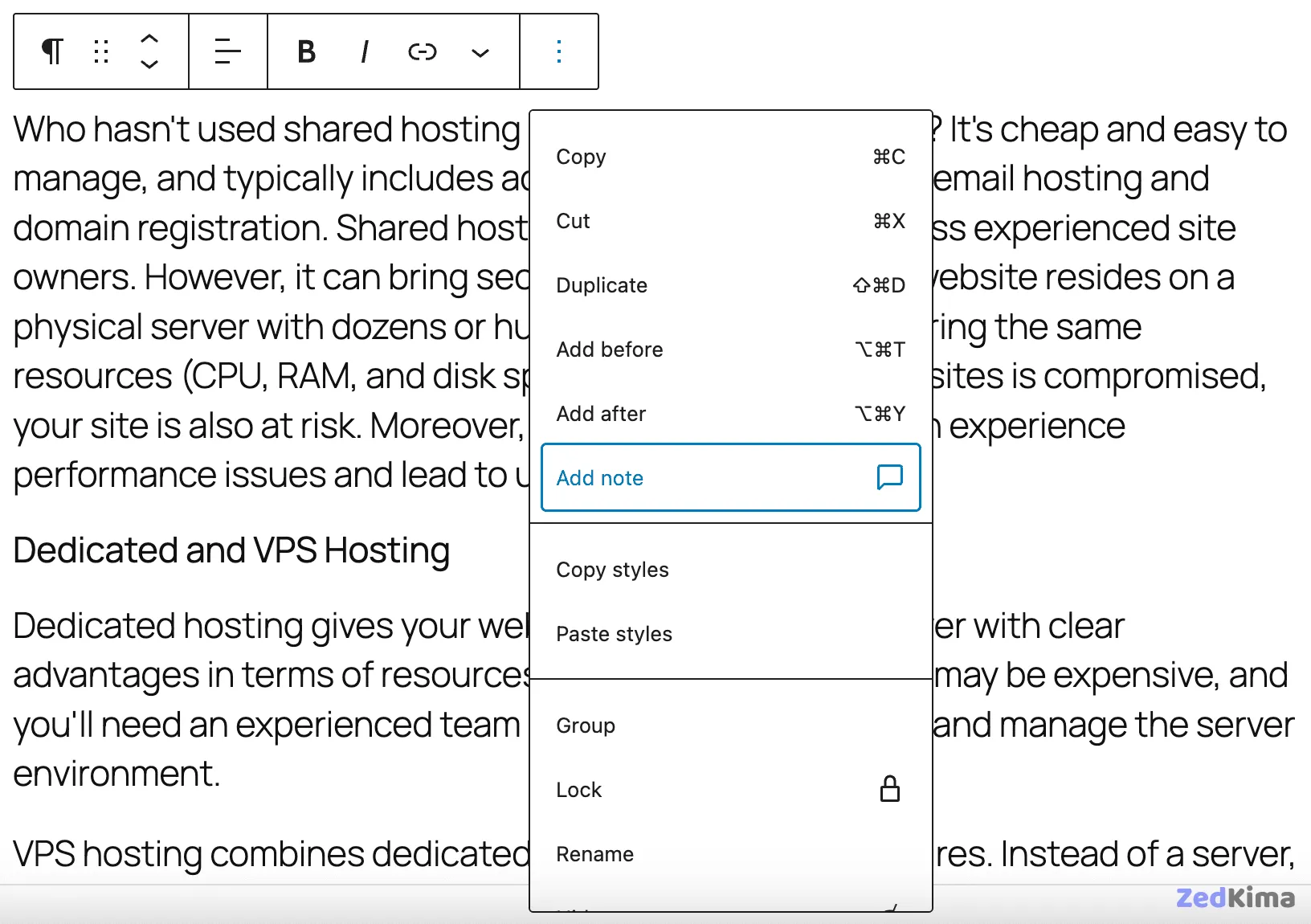
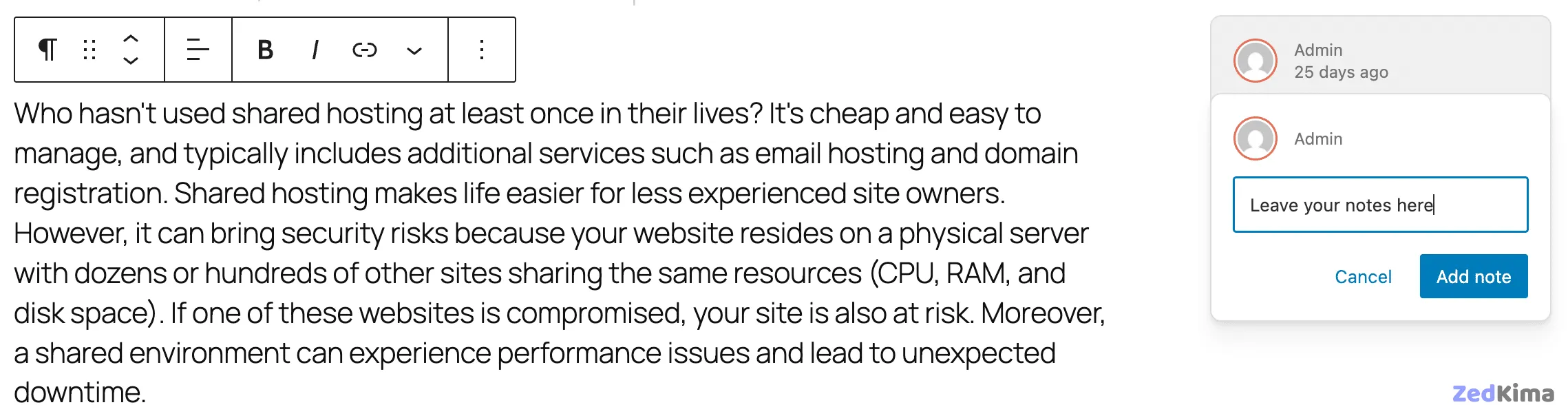
This brings up the Notes sidebar and entry field.
After your first note, a toggle for All Notes lets you access every comment for a post or page at a glance.
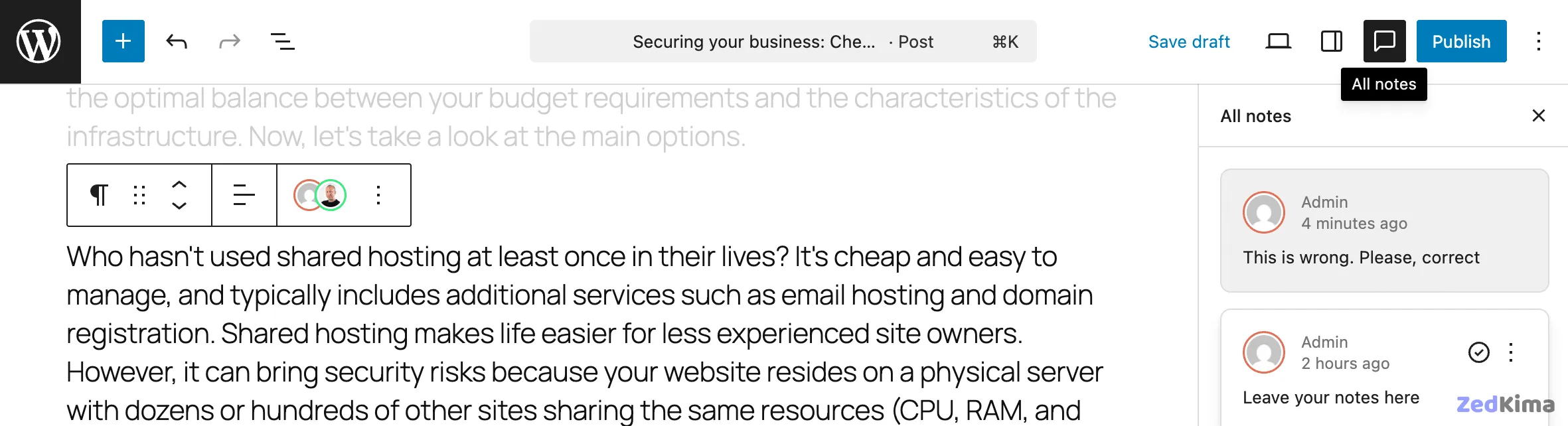
Notes can be easily updated, resolved, or deleted as needed.
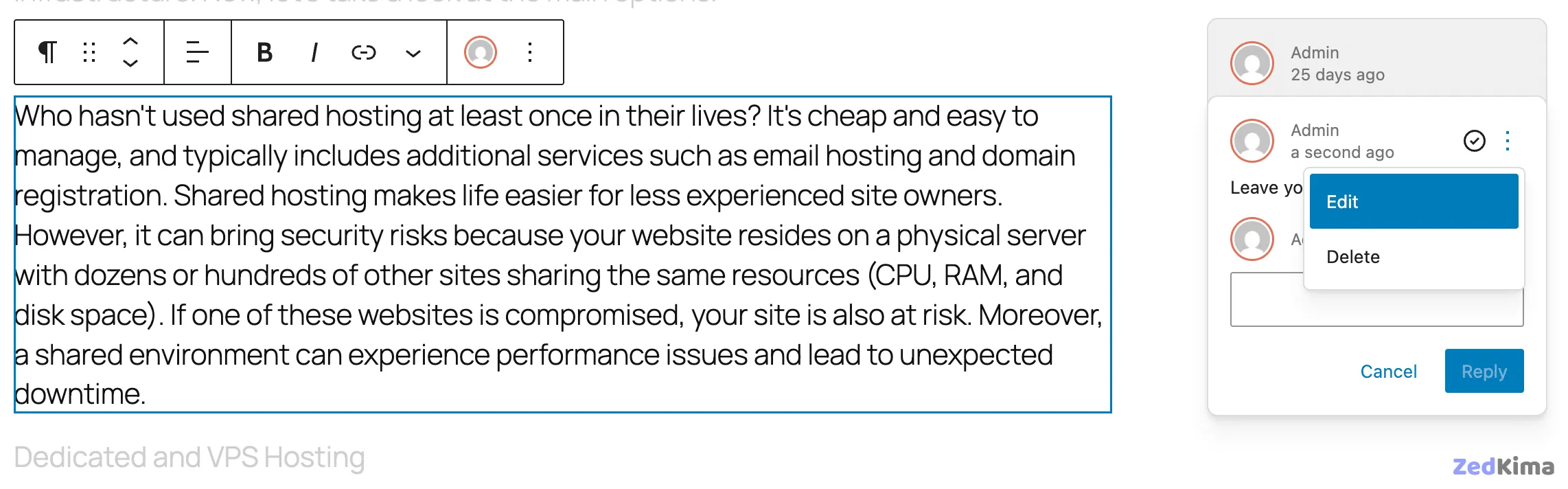
By default, Notes are enabled for posts and pages, but adding them to custom post types is as simple as specifying the new notes support when you register your post type:
register_post_type( 'book', array(
	'label' => 'Books',
	'public' => true,
	'show_in_rest' => true,
	'supports' => array(
		'title',
		'editor' => array( 'notes' => true ),
		'author',
		'excerpt',
	),
) );
If you need to enable notes on an existing post type rather than at registration, keep an eye out for future improvements as core developers are working toward a more streamlined solution. Track ongoing progress.
Notes are really just a type of comment, stored in the wp_comments table as note comment types. You can access them from a plugin using get_comments() like so:
$args = array(
	'post_id' => $post_id,
	'type'    => 'note',
);
$notes = get_comments( $args );
Be sure to specify note as the comment type, as notes are filtered out of standard comment queries.
Authors receive email notifications when a new note is posted to content they’ve written. Notifications can be managed under Settings > Discussion > Email me whenever by unchecking Anyone posts a note.
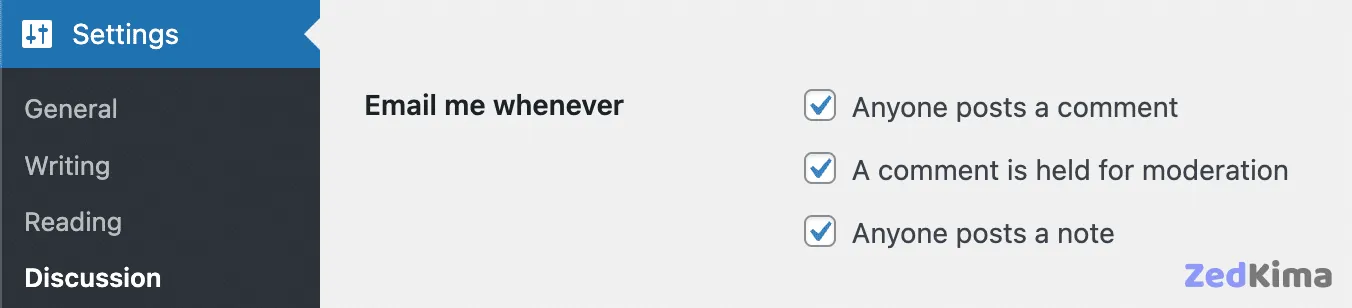
Developers can manage email delivery programmatically with the notify_post_author filter.
This is just the initial release of Notes; more features and improvements are already in the works for upcoming versions, including WordPress 7.0 enhancements and support for inline notes. For deep dives and technical details, refer to the developer notes and iteration update.
Block visibility control
WordPress 6.9 introduces a new block API and user interface for managing block visibility, both in the editor and on the front end.
This tool lets you temporarily hide blocks that aren’t ready for public view—ideal for ongoing content reviews and approvals, and it works hand-in-hand with the new Notes system for smooth collaborative editing.
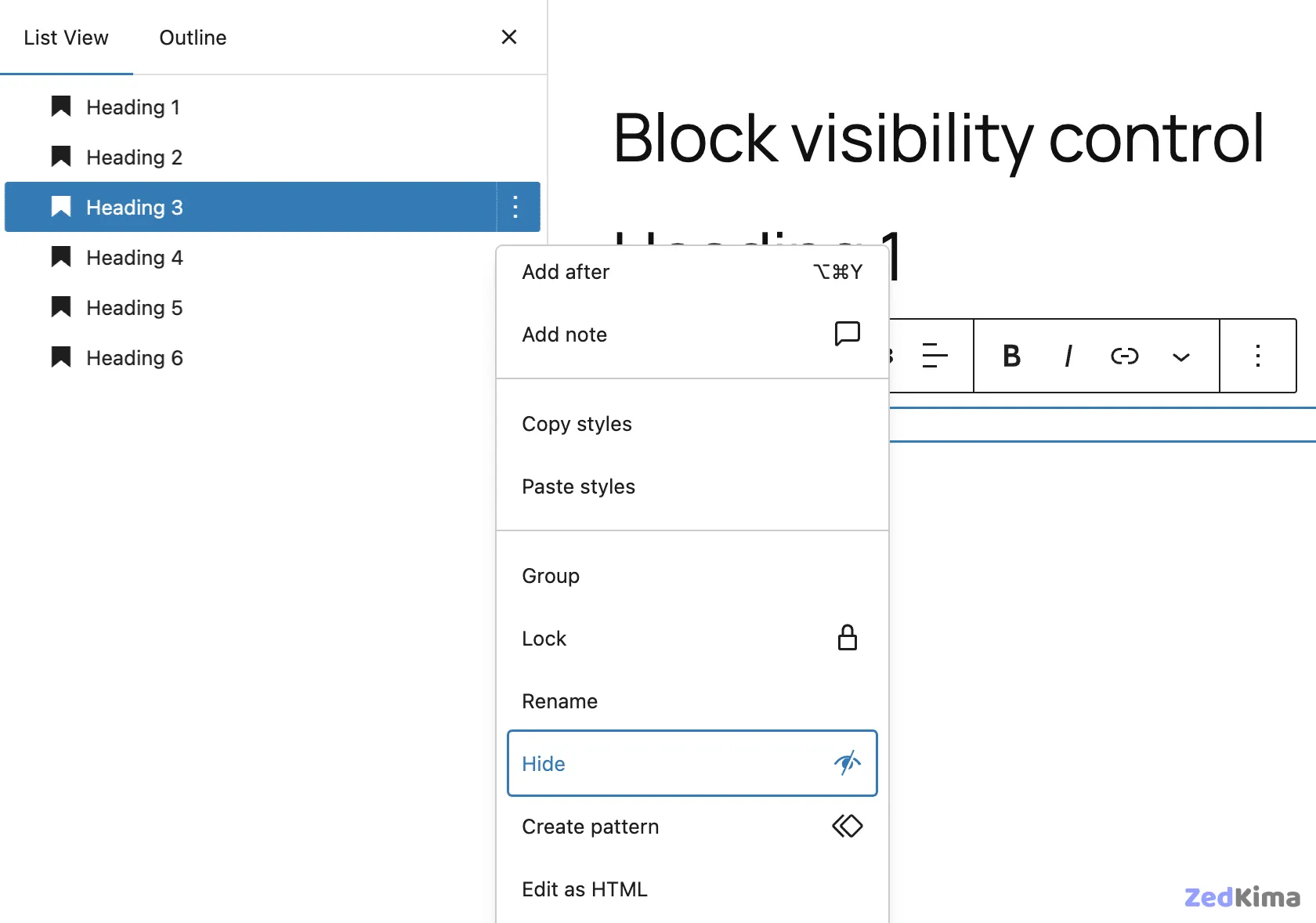
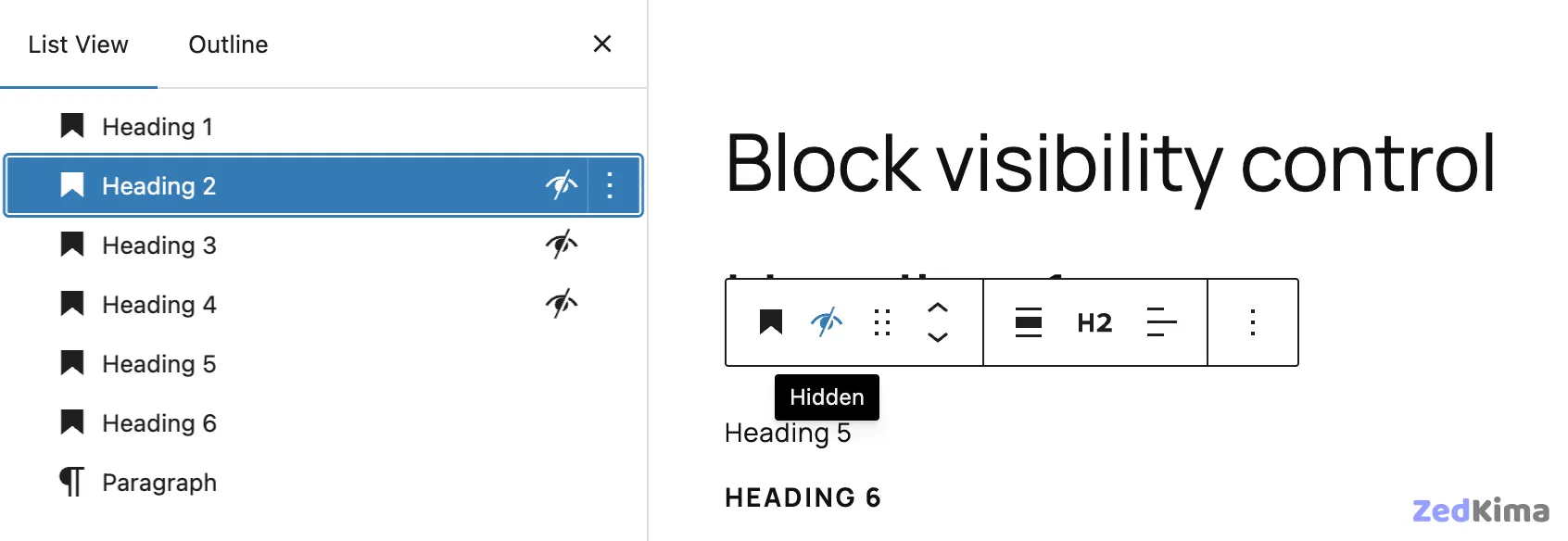
To use it, simply open a post or page, select the block or pattern you want to hide, and toggle visibility from the Block Settings menu or in the List View. See your changes reflected immediately both in the editor and on the live site.
Command palette extended to the admin dashboard
The Command Palette (Ctrl+K or Command+K) now functions in both the site editor and WordPress dashboard, streamlining navigation site-wide. You can quickly search, move around the dashboard, or kick off actions—type “add” for shortcuts to Add Post, Add Media File, Add User, and more.
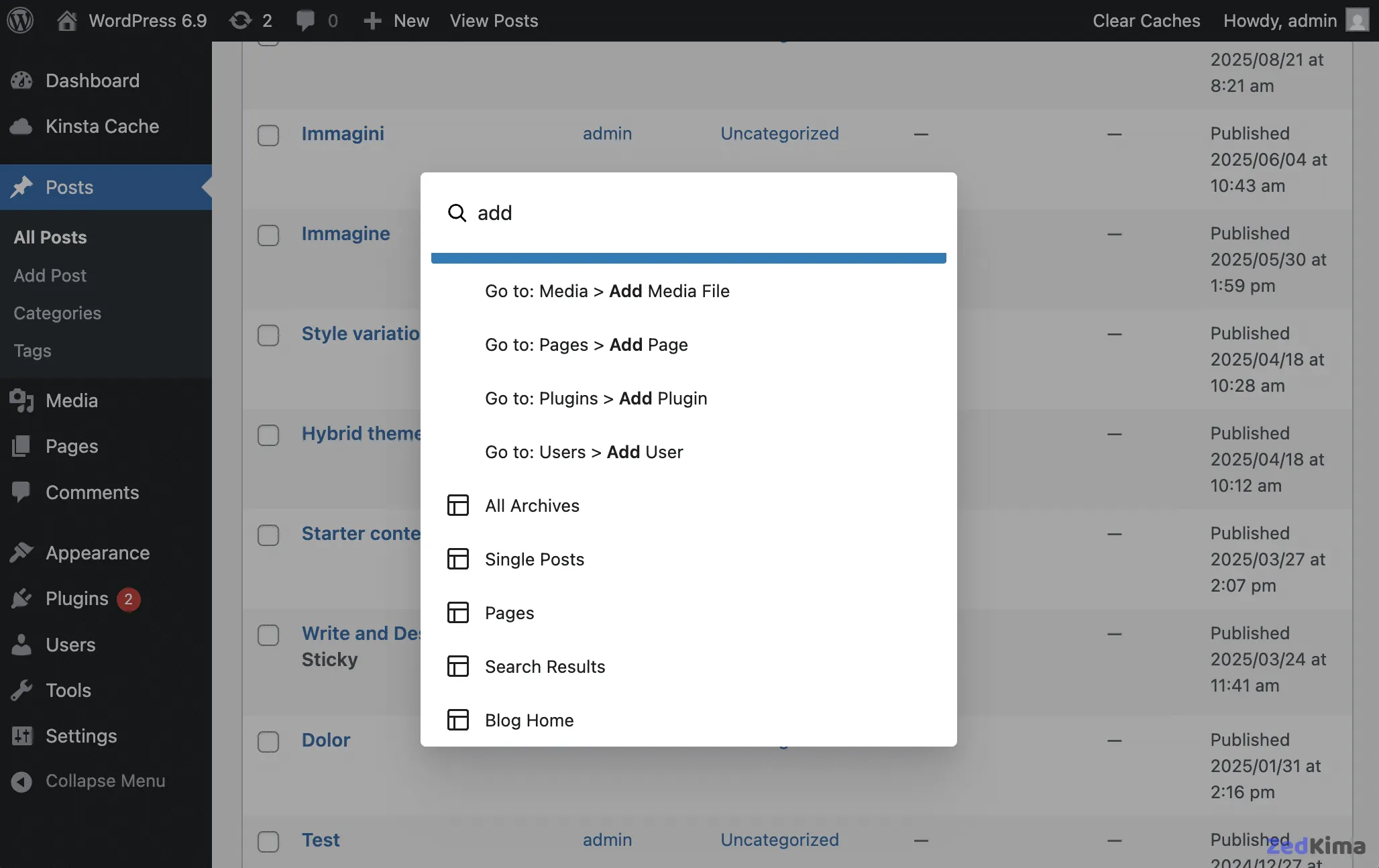
Additional enhancements and commands are already being discussed for future releases. Track ongoing developments in the Command Palette Overview issue.
What’s new for developers
Developers have much to look forward to in WordPress 6.9, with new APIs and significant improvements to existing ones. Among the most impactful additions is the Abilities API, which makes it possible for plugins to work seamlessly with AI systems. Existing APIs such as Interactivity, Block Bindings, and DataViews continue to evolve.
Let’s take a closer look at some of the highlights.
Abilities API
A major new addition in WordPress 6.9, the Abilities API standardizes and exposes plugin, theme, and core system capabilities in ways both people and machines (such as AI assistants) can understand.
This centralized registry enables consistent discovery, validation, and execution of site functionality—via PHP, the REST API, or AI-powered agents.
The Abilities API allows WordPress to offer actions like publishing or editing in a unified format, supporting UI tools (like Command Palette), automation systems, and external integrations.
For developers, the Abilities API delivers:
Clear documentation. Each ability is described with inputs, outputs, and context.
Standardized implementation. Abilities behave reliably, whether called from the dashboard, an app, or an AI service.
Workflow automation. Combine abilities for more sophisticated automation scenarios and custom plugin extensions.
Once registered, abilities become available to AI and external services in a format they can act on seamlessly:
The API manages registration and permissions, while protocol Adapters translate these into formats external AI systems understand. This establishes a robust connection between WordPress functionality and AI assistants, with the first-party API serving as the definitive source for exposed logic.
An ability is a self-contained operation with its own inputs, outputs, permission checks, and execution handler.
The Abilities API provides functions to manage everything from ability registration to categories, along with new REST endpoints and hooks.
Registering an ability uses the wp_abilities_api_init action and the wp_register_ability function. Here’s the function signature:
wp_register_ability( string $name, array $args ): ?WP_Abilitywp_register_ability takes these parameters:
$name(string): The ability’s unique name$args(array): Configuration arguments
It returns an instance of WP_Ability on success, or null on failure.
See this sample ability registration, adapted from the official documentation:
add_action( 'wp_abilities_api_init', 'my_plugin_register_site_info_ability' );
function my_plugin_register_site_info_ability() {
	wp_register_ability( 'my-plugin/get-site-info', array(
		'label' => __( 'Get Site Information', 'my-plugin' ),
		'description' => __( 'Retrieves basic information about the WordPress site including name, description, and URL.', 'my-plugin' ),
		'category' => 'data-retrieval',
		'output_schema' => array(
			'type' => 'object',
			'properties' => array(
				'name' => array(
					'type' => 'string',
					'description' => 'Site name'
				),
				'description' => array(
					'type' => 'string',
					'description' => 'Site tagline'
				),
				'url' => array(
					'type' => 'string',
					'format' => 'uri',
					'description' => 'Site URL'
				)
			)
		),
		'execute_callback' => function() {
			return array(
				'name' => get_bloginfo( 'name' ),
				'description' => get_bloginfo( 'description' ),
				'url' => home_url()
			);
		},
		'permission_callback' => '__return_true',
		'meta' => array(
			'annotations' => array(
				'readonly' => true,
				'destructive' => false
			),
		),
	));
}
Breaking down the example:
wp_abilities_api_initensures the API is loaded before you register abilities.wp_register_abilitytakes a unique name and a settings array.label: Human-readable name.description: What the ability does.category: Used for grouping abilities.output_schema: Describes the data the ability returns.execute_callback: The function to call when the ability runs.permission_callback: Controls who can run the ability.meta: Optional metadata array.
Find more resources and examples here:
- Abilities API in WordPress 6.9
- Introducing the WordPress Abilities API
- Abilities API docs
- Abilities API GitHub repo
- Abilities API Developer Docs
Block Bindings API improvements
The Block Bindings API in WordPress 6.9 is more versatile than ever.
First, support now extends to additional blocks:
- The Date block can accept any date, not just publication or update dates, via the new
core/post-datasource. Add a Date block, assign a custom date, then compare to a Post Date block for flexibility. See PR #70585 for implementation details. - The Image block’s caption attribute now works with pattern overrides.
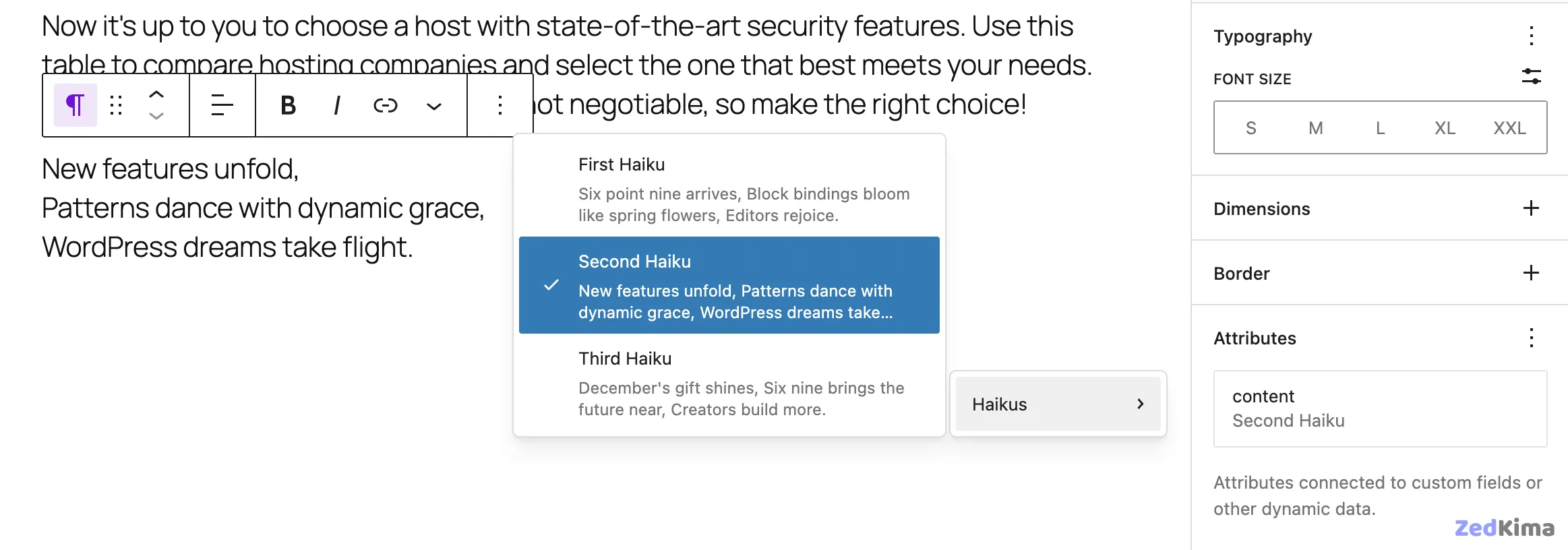
The editor interface displays available block binding sources and lets you toggle between them. Attribute binding and unbinding is a single click.
Developer improvements include:
- The new
block_bindings_supported_attributes_{$block_type}server-side filter for specifying bindable attributes. - The ability to register custom sources client-side with
getFieldsList.
To see the Block Bindings UI, run the provided code example in the dev notes in your browser console.
The visual source selector for the Paragraph block is shown below:
Enhancements to DataViews and DataForm
The DataViews and DataForm APIs help you display and manage structured datasets like posts, pages, or media within WordPress, using tables, grids, and advanced controls.
- DataViews API is tailored for browsing and organizing data, supporting search, filters, and sort options.
- DataForm API is optimized for modifying individual items.
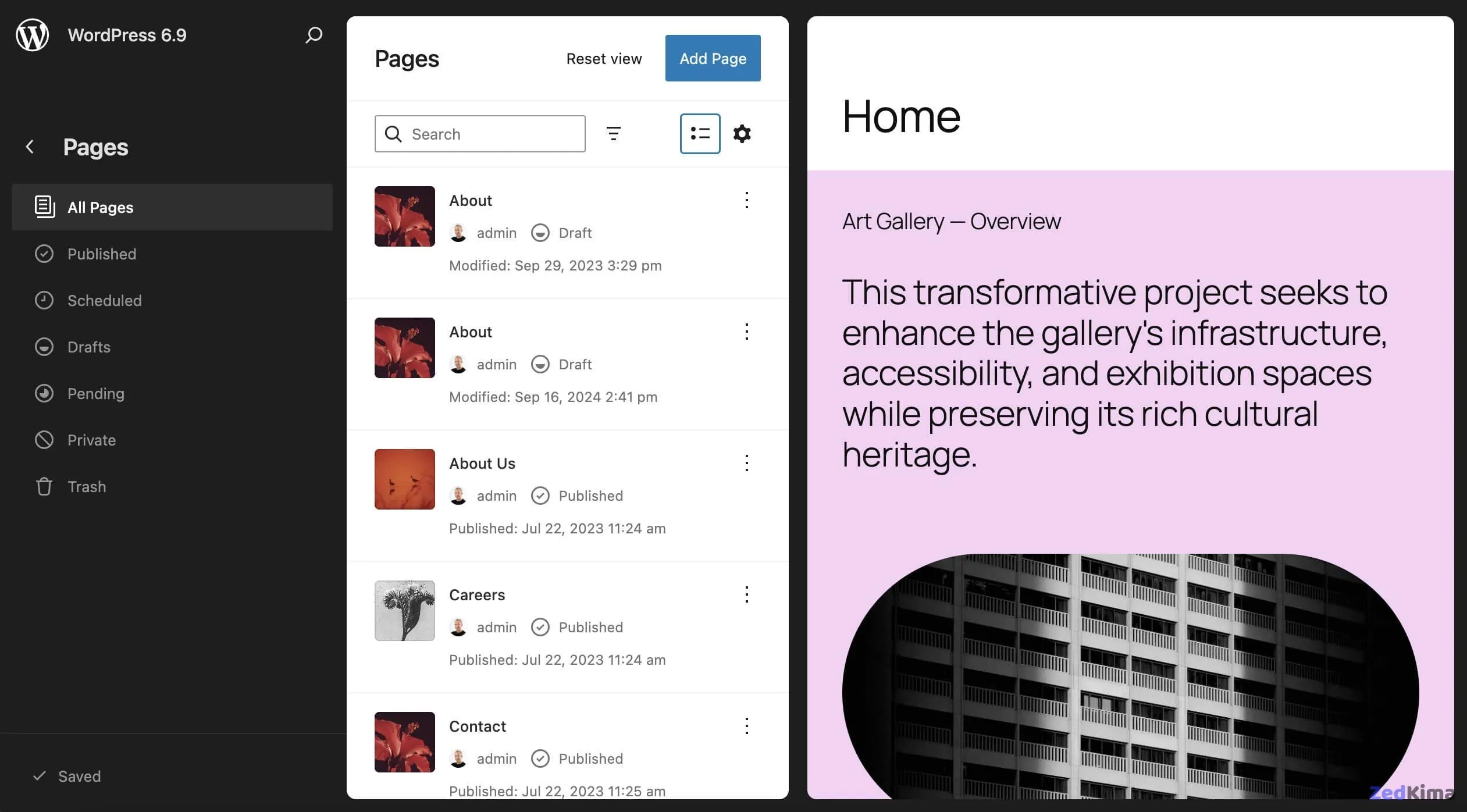
WordPress 6.9 brings updates such as:
- New fields, controls, and operators (including media, boolean, email, array fields; controls like
checkboxandtoggleGroup). - A rewritten validation system to support
required,elements, and custom validation through functions. - The DataViews API now includes
datefield support, allowing for date filtering and new calendar selection tools. - New
DateCalendarandDateRangeCalendarcomponents. - Table layouts now support multi-item selection.
- The groupByField property helps group data visually in both grid and table layouts.
- Responsive images are now used for faster loading in the backend, especially in grid-based DataViews. See performance improvements.
Additional improvements include:
- Locked filters for views that require preset data filtering.
- The new Edit control for date fields.
- Customizable empty states with messaging or React node support.
For a comprehensive update list, see the dev notes, as well as PRs #70567 and #70578.
Enhancements to the Interactivity API
The Interactivity API allows developers to build dynamic, reactive blocks for richer user experiences. Introduced in WordPress 6.5, it now gains several new features: You might also enjoy this related read → New possibilities with the WordPress Interactivity API
Adding IDs to Interactivity API directives
You can assign IDs to directives using a triple-dash (---), making it easier to handle multiple attributes on a single element. Learn more:
<div
	data-wp-watch---my-unique-id="callbacks.firstWatch"
	data-wp-watch---another-id="callbacks.secondWatch"
></div>
Script modules and stylesheets loading
WordPress now reloads stylesheets and script modules after client-side navigation, reusing and prefetching to optimize performance and minimize network usage. Get the details.
- Shared stylesheets are reused, new stylesheets loaded, and others disabled as needed.
- The
importmapsystem optimizes script loading. - Prefetching ensures assets are ready in advance.
Router regions inside interactive elements
Router regions can now exist inside other interactive elements, allowing for more flexible layout updates during navigation. See the change.
New attachTo property for router regions
The attachTo property in the data-wp-router-region directive enables router regions to be rendered dynamically, even if absent from the initial page load. Use a CSS selector to target the parent element:
<div
	data-wp-interactive="example"
	data-wp-router-region='{ "id": "example/region", "attachTo": "body" }'
>
	I'm in a new region!
</div>
getServerState and getServerContext synchronization
The getServerState() and getServerContext() functions have been improved for better state tracking: unchanged values reset across navigation, and only current-page properties remain loaded. Read about the update.
For more information and hands-on code, visit Interactivity API’s navigation improvements and API changes in WordPress 6.9.
For a foundational overview, see the main Interactivity API guide.
Additional updates for developers
WordPress 6.9 brings a number of other changes for developers. Notable updates include:
- HTML API improvements
- Admin menu: refined search queries
- New streaming block parser
- Support for PHP 8.5
- More accessibility improvements
- Enhancements to wp_mail()
- Improved UTF-8 handling
- Cache keys for query groups
- More robust URL-escaping
- Full iframe integration in the post editor
- Standardized Block Inspector ToolsPanel
- Legacy Internet Explorer code removed
- Performance improvements
- Even more developer enhancements
Comprehensive Accessibility Enhancements
WordPress 6.9 makes significant strides in accessibility, building on previous initiatives to ensure the platform is usable by all. The update refines keyboard navigation, improves screen reader support, and enhances focus states for blocks and UI menus across the editor. For users who rely on assistive technology, the changes to semantic markup (such as improved label associations in form fields and ARIA attributes) create a smoother experience. Also check out this related article → Use headless WordPress to build a website with Lovable
- Navigation Block: Now boasts better keyboard focus control and logical tab order when customizing menus.
- Block Inserter: Features more descriptive announcements and visible focus when searching and inserting blocks.
- Color controls and buttons: Are now accurately described with their current state/status for screen readers.
- Visual cues (like focus outlines) are more consistent and customizable across themes, reducing confusion for users with low vision.
As always, these changes are driven by extensive feedback from the WordPress Accessibility Team and feedback from the user community. You can contribute or follow along with ongoing initiatives in the WordPress Accessibility team blog.
Performance Improvements and Site Speed
Every WordPress release aims to improve speed and reduce resource usage, and 6.9 is no exception. Extensive profiling and code refinement have resulted in:
- Faster Editor Loading: Optimized JavaScript bundle splitting, more efficient asset enqueuing, and preloading of block styles for a quicker start, even on large or complex sites.
- Improved Front-End Rendering: Enhanced lazy loading of images and videos, adaptive image sizes
srcsetimprovements, and decreased DOM complexity in core blocks. - Reduced Server Overhead: The new streaming block parser decreases memory consumption for large documents, benefitting websites with heavy content or high traffic.
These efficiency benefits help WordPress sites perform better on core web vitals—key for SEO and user retention.
Better Multisite Management
WordPress 6.9 introduces refinements for administrators managing WordPress Multisite networks:
- Centralized Site Health Tools: Enhanced dashboards and notifications for monitoring the status of all sites in a network.
- Network-wide Plugin and Theme Controls: Bulk enable/disable with instant feedback and dependency checks, reducing the risk of configuration mishaps.
- Customizable Roles and Permissions: Enable more granular site and user controls, thanks to updates in the capabilities API and integration with the new Abilities API.
These additions streamline workflows for agencies, educational institutions, and enterprises running multi-site environments. Also take a look at this related read → WordPress multisite vs multiple WordPress installations: How to choose
Internationalization and RTL Language Support
Continuing WordPress’s global reach, version 6.9 enriches internationalization (i18n) and RTL (Right-to-Left) support: Also take a look at this related read → Developer guide: Making WordPress block themes multilingual
- Core blocks and UI components better adapt to RTL layouts, with mirroring of interface elements where appropriate.
- Dynamic Locale Switching: Editors and users can seamlessly switch between languages per user session, with instant UI updates.
- Improved polyglot string extraction and translation for editors and third-party plugins, simplifying updates for multilingual sites.
For developers, the enhanced _wp_translate function supports context-aware translations for advanced localization scenarios.
Security Updates and Hardening
Security remains a core priority in WordPress’s development process. In 6.9, several layers of protection have been added or extended:
- More Secure Authentication: Support for modern password hashing algorithms and streamlined two-factor authentication flows for users and REST API endpoints.
- Expanded Data Validation and Escaping: All new core APIs and blocks default to strict sanitization, especially on input, API responses, and email handling.
- Block Editor Sandboxing: The upgraded iframe integration in the post editor ensures user-inserted HTML and dynamic block outputs are isolated from critical admin code, reducing the attack surface.
Site administrators are encouraged to review security settings and plugin compatibility before major upgrades.
Tips for Preparing Your Site for WordPress 6.9
- Backup first: Always create a full backup of your site and database before updating. Popular options include UpdraftPlus, Jetpack, or your web host’s snapshot tool.
- Check plugin and theme compatibility: Visit the plugin directory or your developer’s documentation for notes on 6.9 compatibility. Consider running the update on a staging environment first, especially for mission-critical or custom-coded sites.
- Read the release notes: The final WordPress 6.9 release notes and changelogs will provide last-minute highlights and any breaking changes.
- Clear caches: After updating, clear site and browser caches to ensure you and site visitors see all new styles and scripts in effect.
Key Use Cases: Who Should Upgrade Quickly?
WordPress 6.9 is especially valuable for the following user groups:
- Educational websites—for embedding math via LaTeX and collaborative notes on lesson plans.
- Online publications and magazines—using “Time to Read,” enhanced comments, and visibility features for editorial workflows.
- Agencies and web developers—access to new APIs and workflow improvements for client collaboration and automation.
- Multilingual and global businesses—with improved internationalization and RTL support for a native user experience worldwide.
- Accessibility advocates—benefiting from more compliant markup and navigation improvements across editing and front-end experiences.
Conclusion: A Smarter, More Collaborative WordPress
WordPress 6.9 is more than an incremental update; it’s a powerful step toward a creative and collaborative web publishing future. The mix of user-centric features, expanded block flexibility, developer APIs, accessibility, and security enhancements positions WordPress at the cutting edge of open web software. Whether you’re a content creator, developer, educator, or business owner, upgrading to 6.9 unlocks the next level of site-building possibilities while paving the way to an even more dynamic ecosystem in WordPress 7.0 and beyond.
Stay current, test thoroughly, and enjoy exploring the rich toolkit that WordPress 6.9 has to offer!

